
Reapal

Springboard Capstone · 2021

Reapal · Collaborative E-Book Reading

Product designer · A collaborative e-book app that turns reading active — discover, share, discuss, and organize what you read.

01

Background

It starts with a personal observation…

I read e-books — and I noticed what the convenience costs. Concentration slips, comprehension fades, and the thinking a book provokes has nowhere to go. This capstone explores a more proactive reading experience: one that stimulates reflection and deepens comprehension instead of flattening them.

02

Secondary Research

Overview of E-book Market
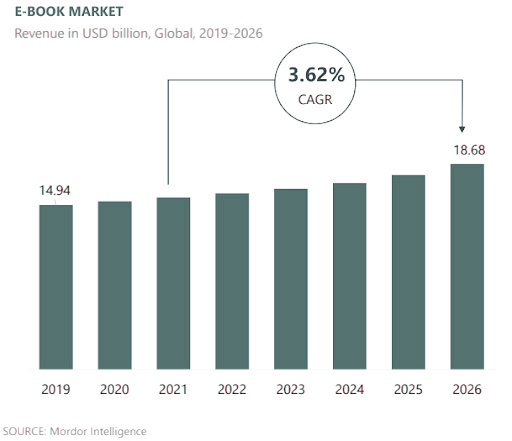
A Mordor Intelligence bar chart of global e-book market revenue from 2019 to 2026, rising year on year at a 3.62% compound annual growth rate.

Increased use of e-readers

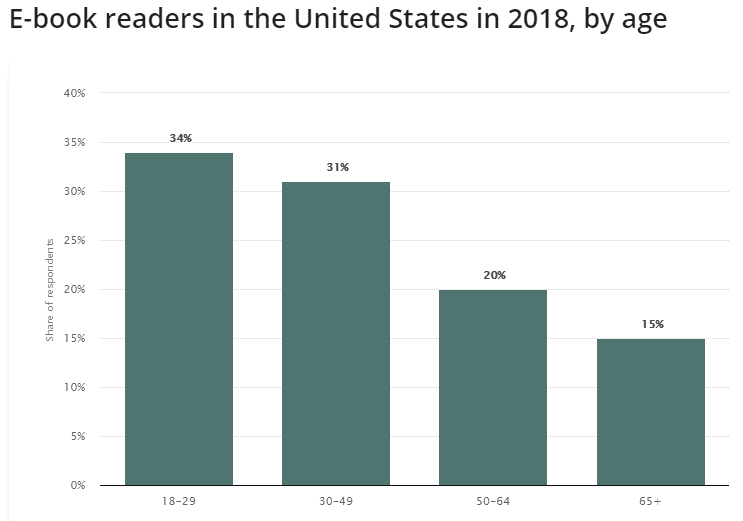
A Statista bar chart of United States e-book readers by age in 2018: the 18–29 and 30–49 bands are far taller than the 50–64 and 65-plus ones.

Major user group: young adults

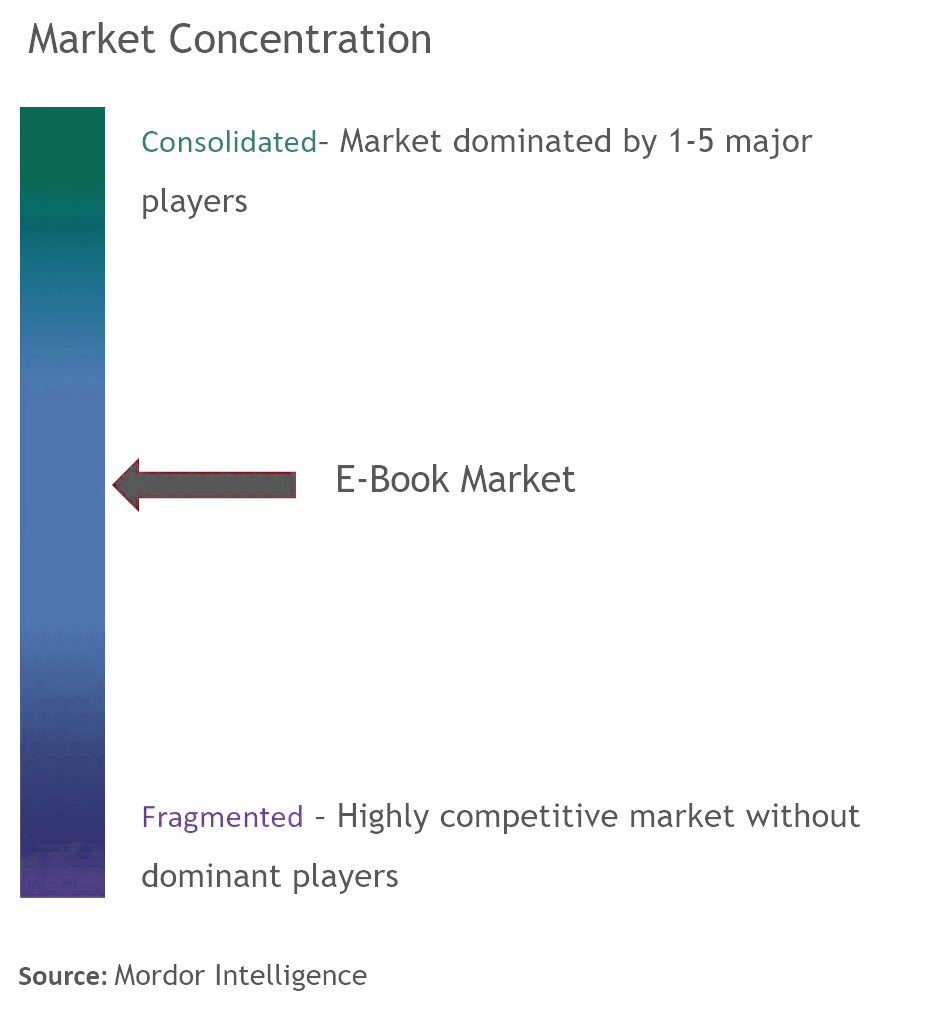
A market-concentration scale running from fragmented to consolidated, with the e-book market marked above the midpoint — dominated by a handful of major players.

A concentrated market with major players

Sources: Statista; Mordor Intelligence.

03

Secondary Research

E-reader Behaviors Change During Covid-19

E-reading used to skew light and leisurely. During Covid, sales of non-fiction, education and language titles spiked — readers had started reading on purpose, for personal development.
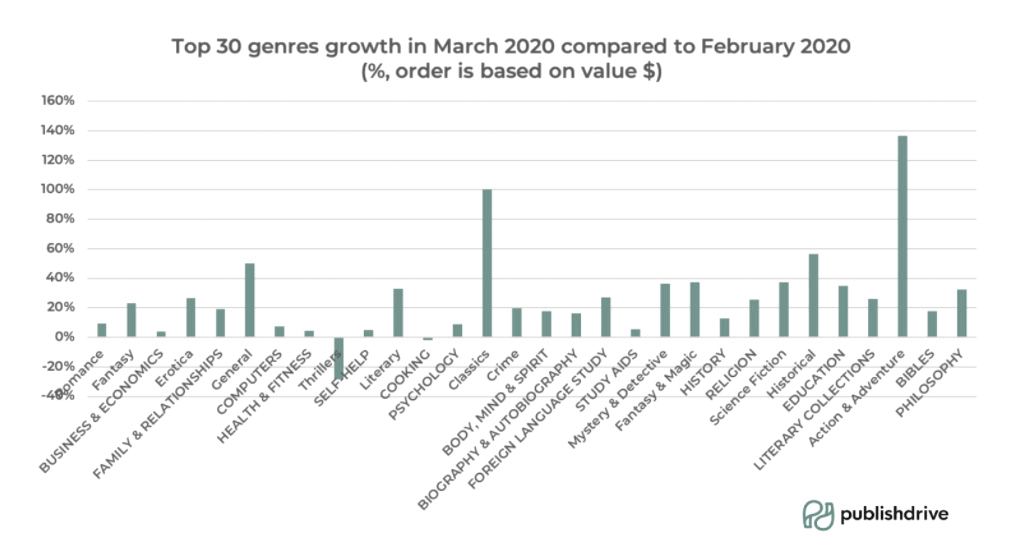
A chart of book-genre sales through the pandemic: non-fiction, education and language-study titles climb while leisure fiction stays flat.

Sources: Journal of Publishing Culture; PublishDrive.

04

Competitive Analysis

Reading × Idea Sharing × Organizing

I mined App Store reviews of three competitors — Kindle, Wattpad, Goodreads — and synthesized them into one sheet. Two findings held across all three: what users love most clusters around sharing ideas and discussing with others, and what frustrates them most is reading management — organizing notes, tracking history.
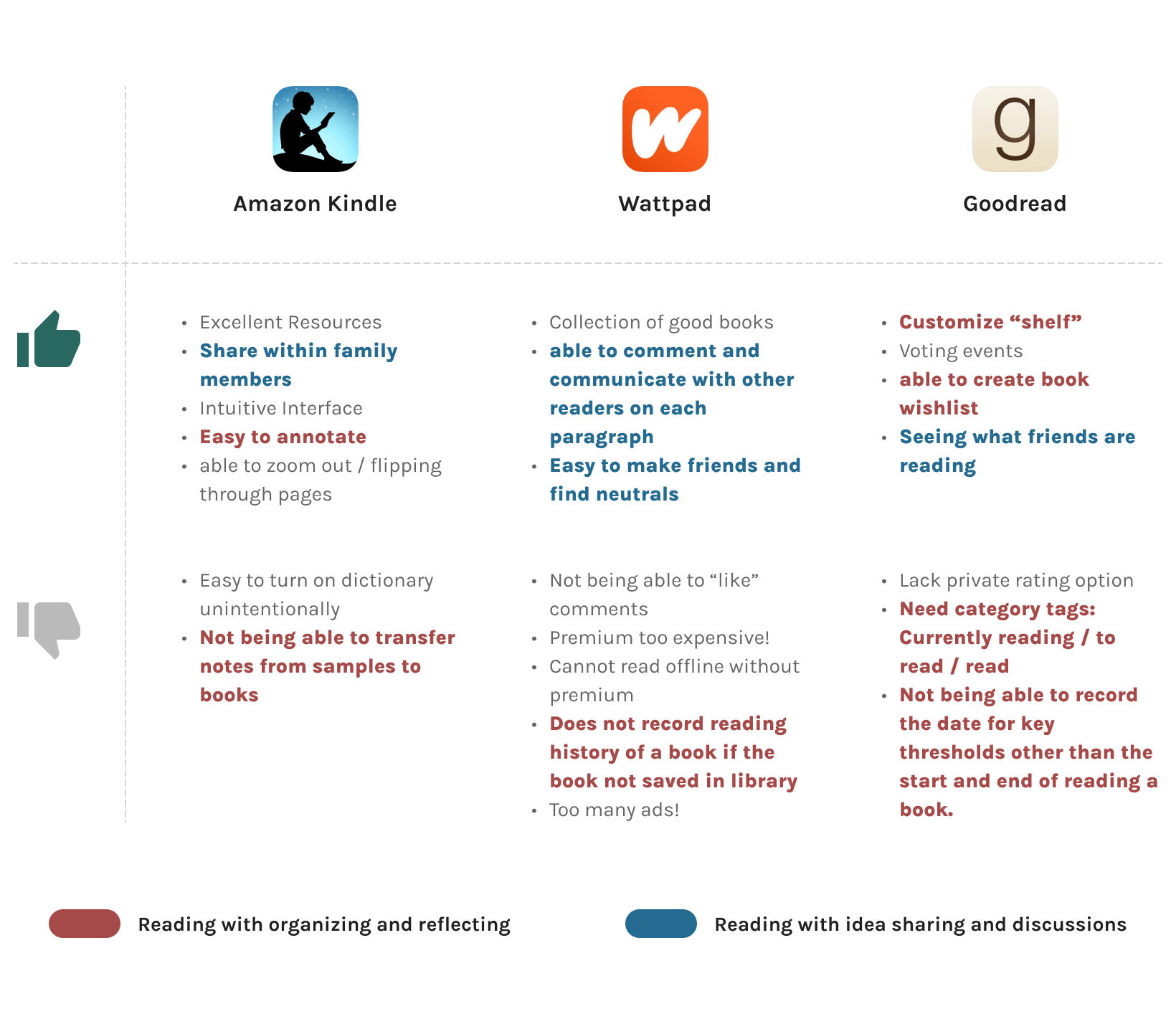
The competitive sheet: Amazon Kindle, Wattpad and Goodreads down three columns, each with what reviewers liked and disliked, colour-coded into idea-sharing praise and reading-management complaints.

User Survey and Interview

27 Participants for user survey

The survey screened interview candidates and added quantitative texture to the secondary research.

5 User interviews

Five interviews went deep on habits, motivations, and reading stories. Participants: aged 18–35, any gender, consistent readers with e-book experience.
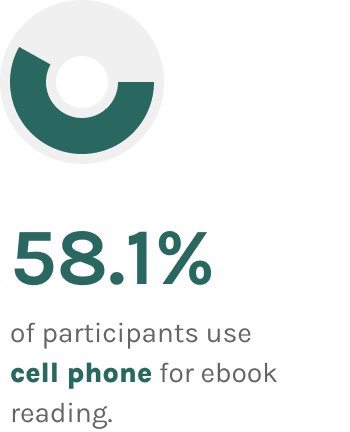
Survey result — 58.1% of respondents read on a cell phone.
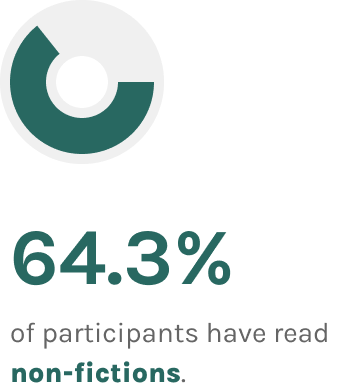
Survey result — 64.3% of respondents read non-fiction.
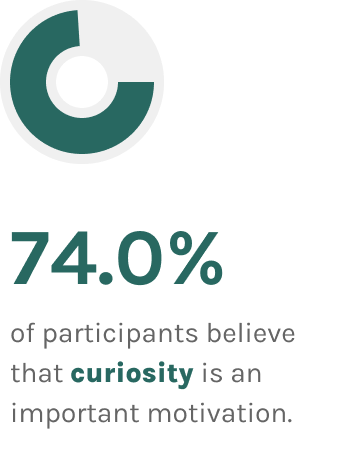
Survey result — 74.0% of respondents read out of curiosity.
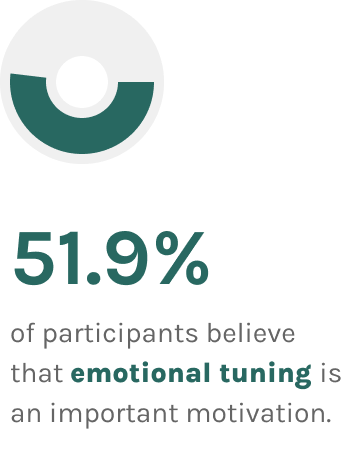
Survey result — 51.9% of respondents read for emotional tuning.

The insights were re-categorized into an affinity map — habits, communication, inspiration, recommendation, navigation, annotation, and how people think about reading itself.
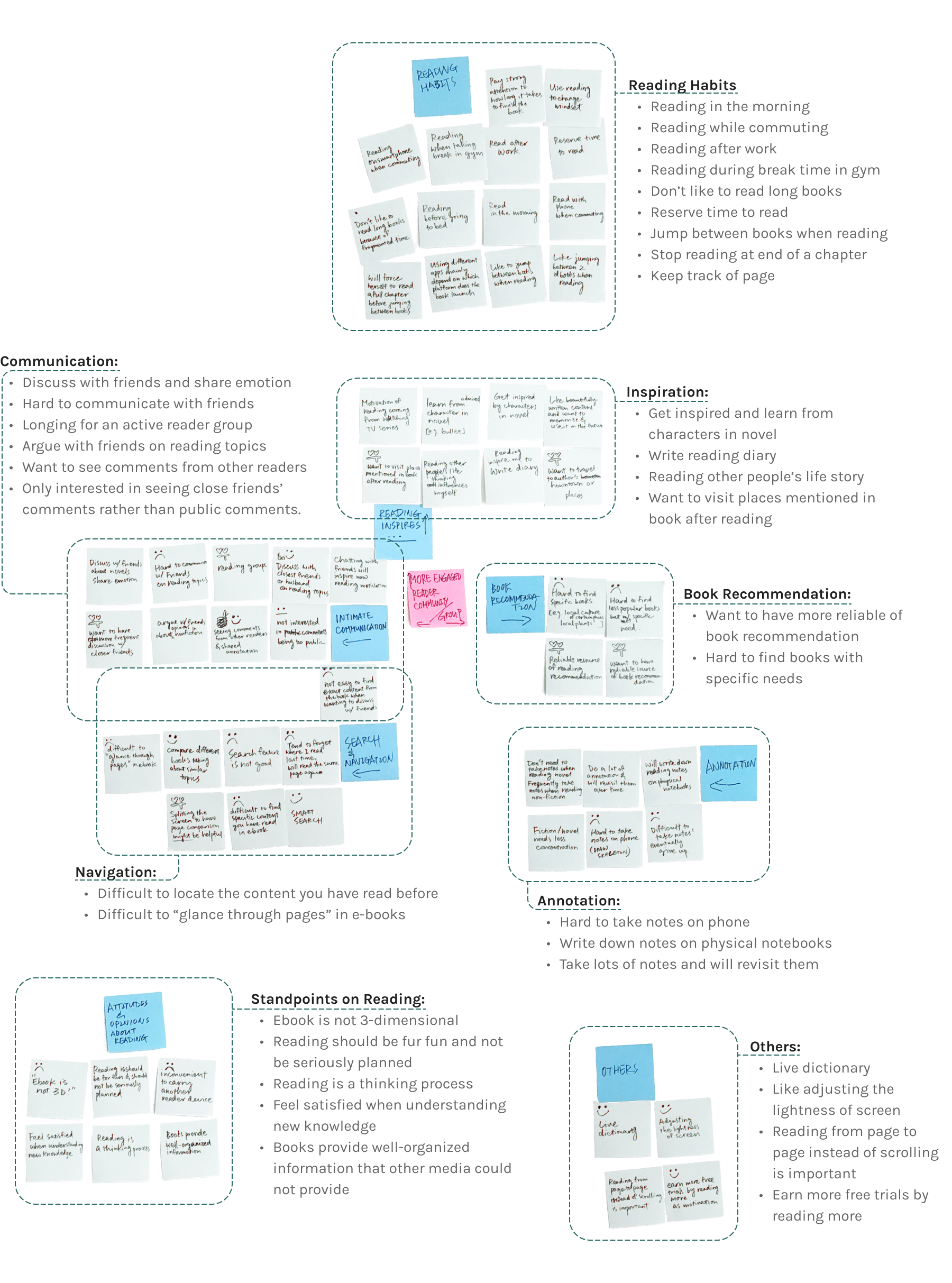
The affinity map: interview quotes grouped into columns for reading habits, communication, inspiration, recommendation, navigation, annotation, and readers' own ideas about reading.

Persona

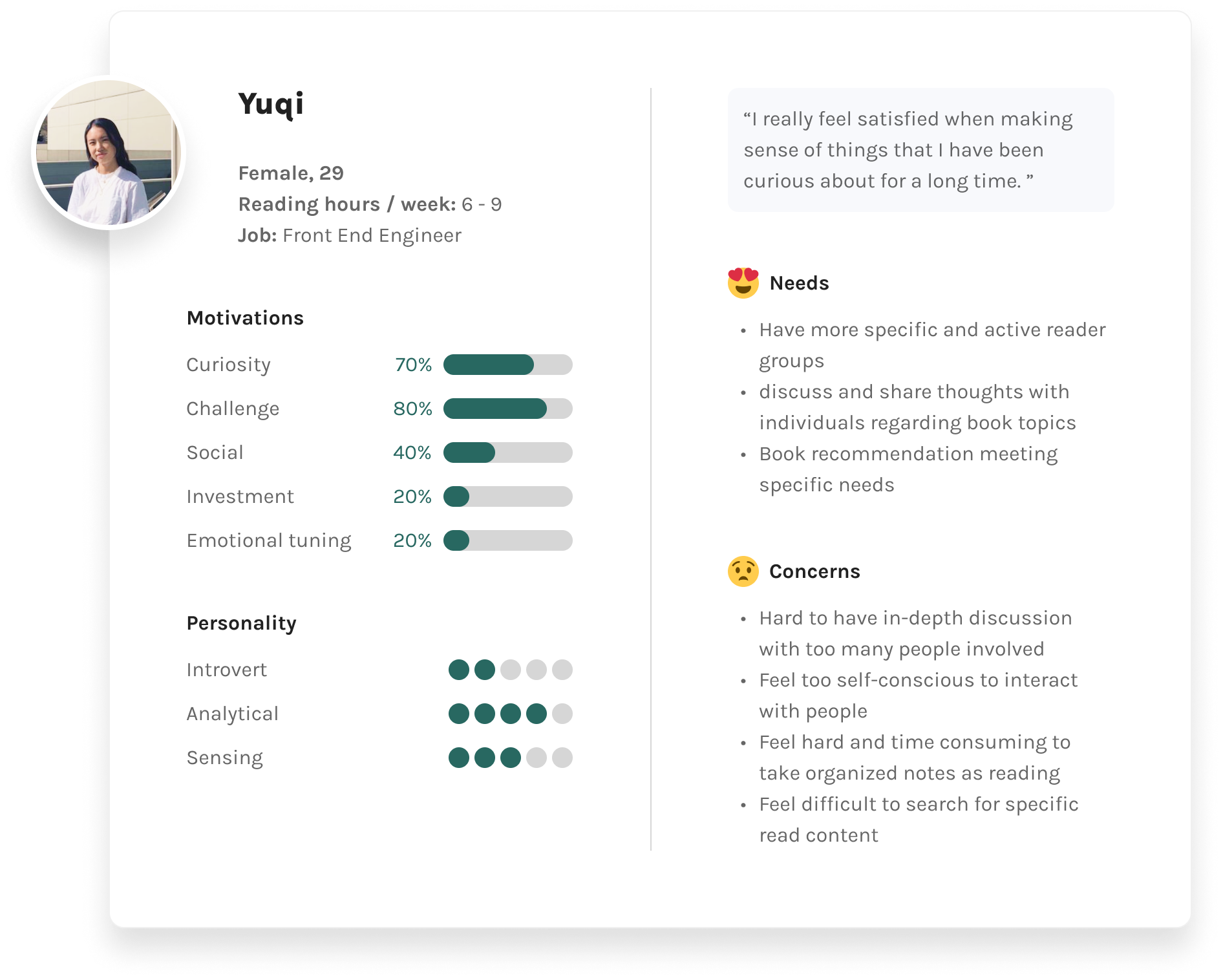
The first persona: a young professional reader with goals, frustrations and reading behaviours drawn from the interviews.
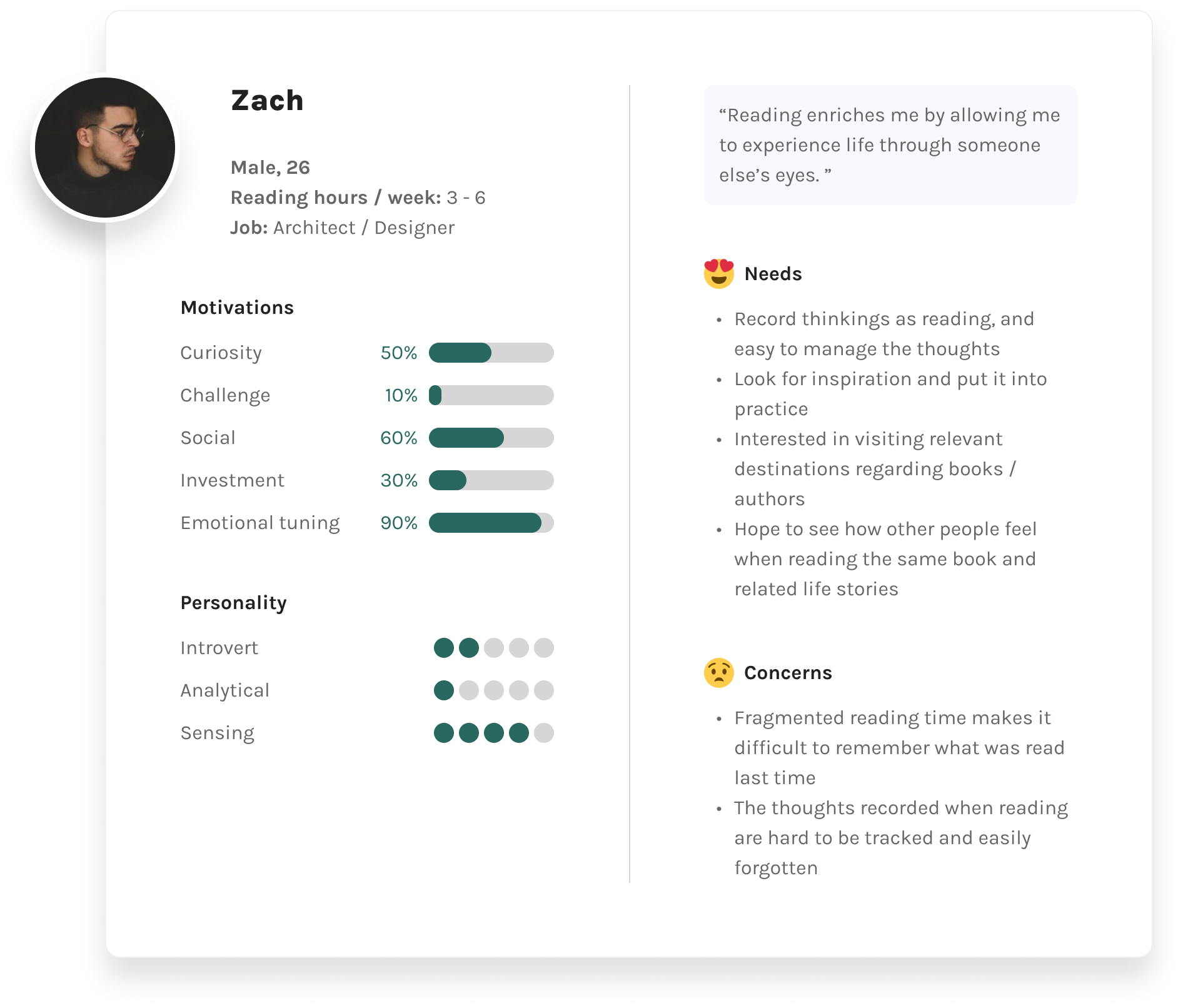
The second persona: a graduate-student reader whose goals centre on comprehension, discussion and keeping track of what she has read.
The synthesized personas that carried the research into design.
05

Defining

Seeking Design Opportunities

Every observed frustration folds into one How-Might-We frame:

The How-Might-We frame drawn out: “HMW help e-readers to” fans into four bracketed verbs — discover, share, discuss, organize — which converge again on “reading insights”.

Treating the four as problem statements, I brainstormed wide before narrowing — the word cloud is the wide; the four themes are the narrow.

A strip of brainstormed ideas set at varying weights: highlight discussions, book discussion as note, self-generated diary, soft reminders, audio comment, upload photos as comments, group manage annotation type, books shared within certain clubs.
06

Ideation

From Sketches to Wireframes

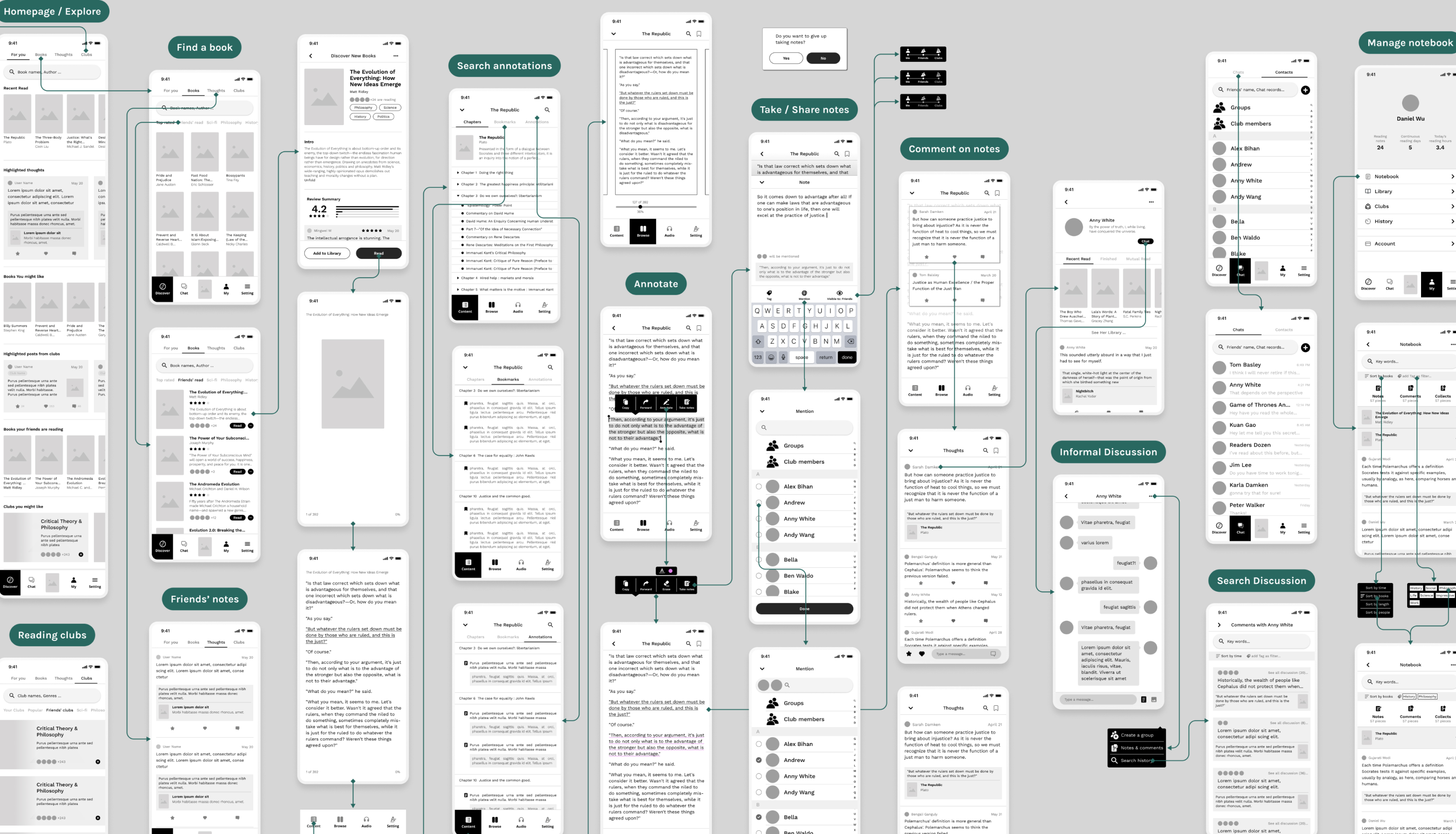
Sketches distilled into an information architecture, a site map and user flows; a paper prototype for the MVP followed, then a lo-fi prototype. Guerrilla testing with five people caught the first-order problems early — including the one that mattered most:

“When I first saw the homepage, I thought this was just a normal e-book reading app, and didn’t realize the things you introduced to me.”

The sketch wall: rows of hand-drawn phone screens for the explore, reading, comment and notebook paths, annotated and joined by arrows.
The lo-fi wireframe map: every screen of the MVP laid out and connected — homepage and explore, find a book, annotate, take and share notes, comment on notes, informal discussion, search discussion and manage notebook.

Design Iterations Based on Test Findings

5 Participants for usability testing

Two rounds: lo-fi for flows, layout and functionality; hi-fi for accessibility, copy and detail. The iterations below are organized by the four themes.
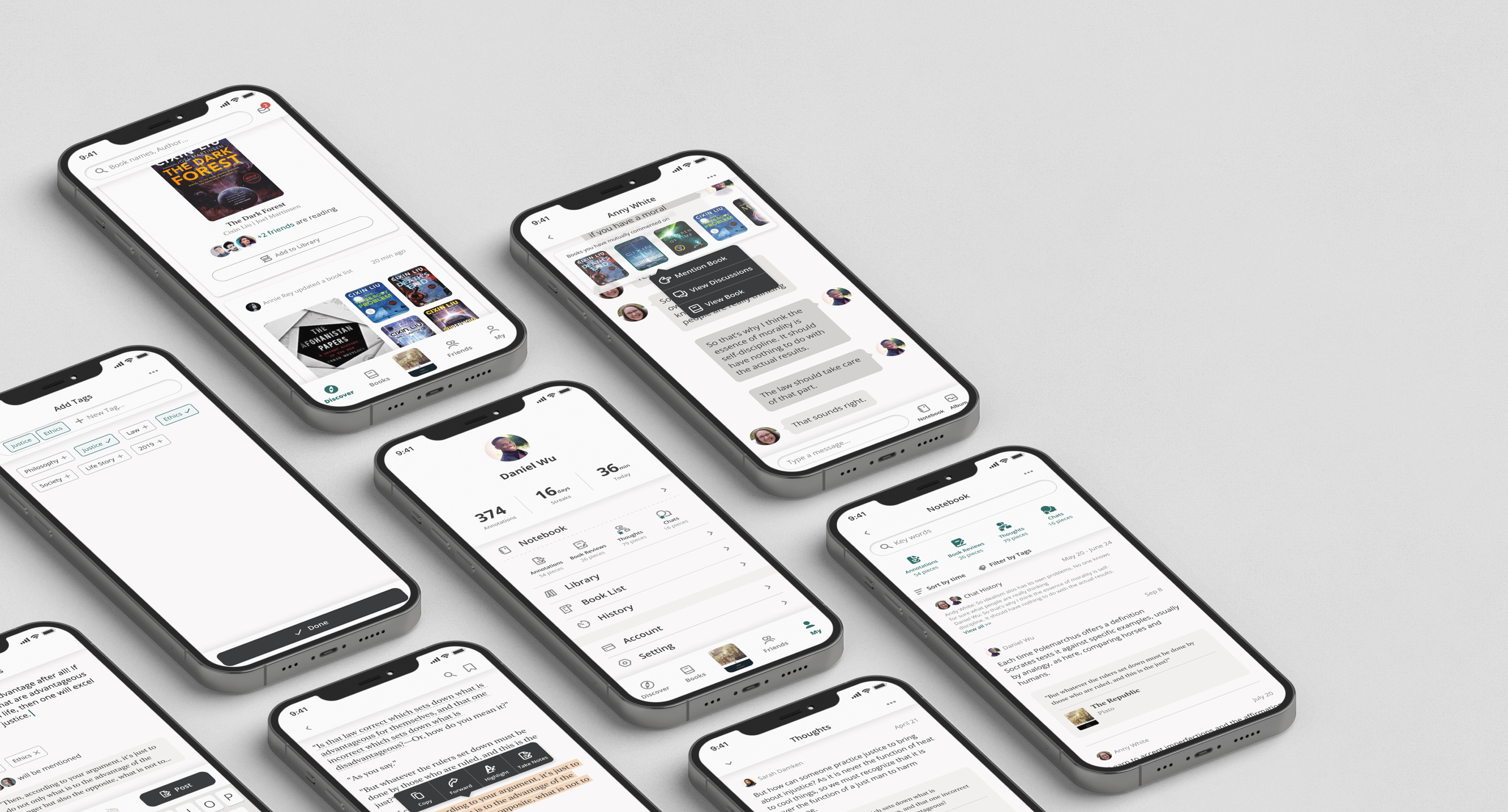

A board of phones running Reapal: the discover feed, a private chat, the tagging sheet, a profile with its notebook counts, and the notebook itself.

To Discover

In this vast sea of books, why not explore together with your friends, and find good books that suit each other.

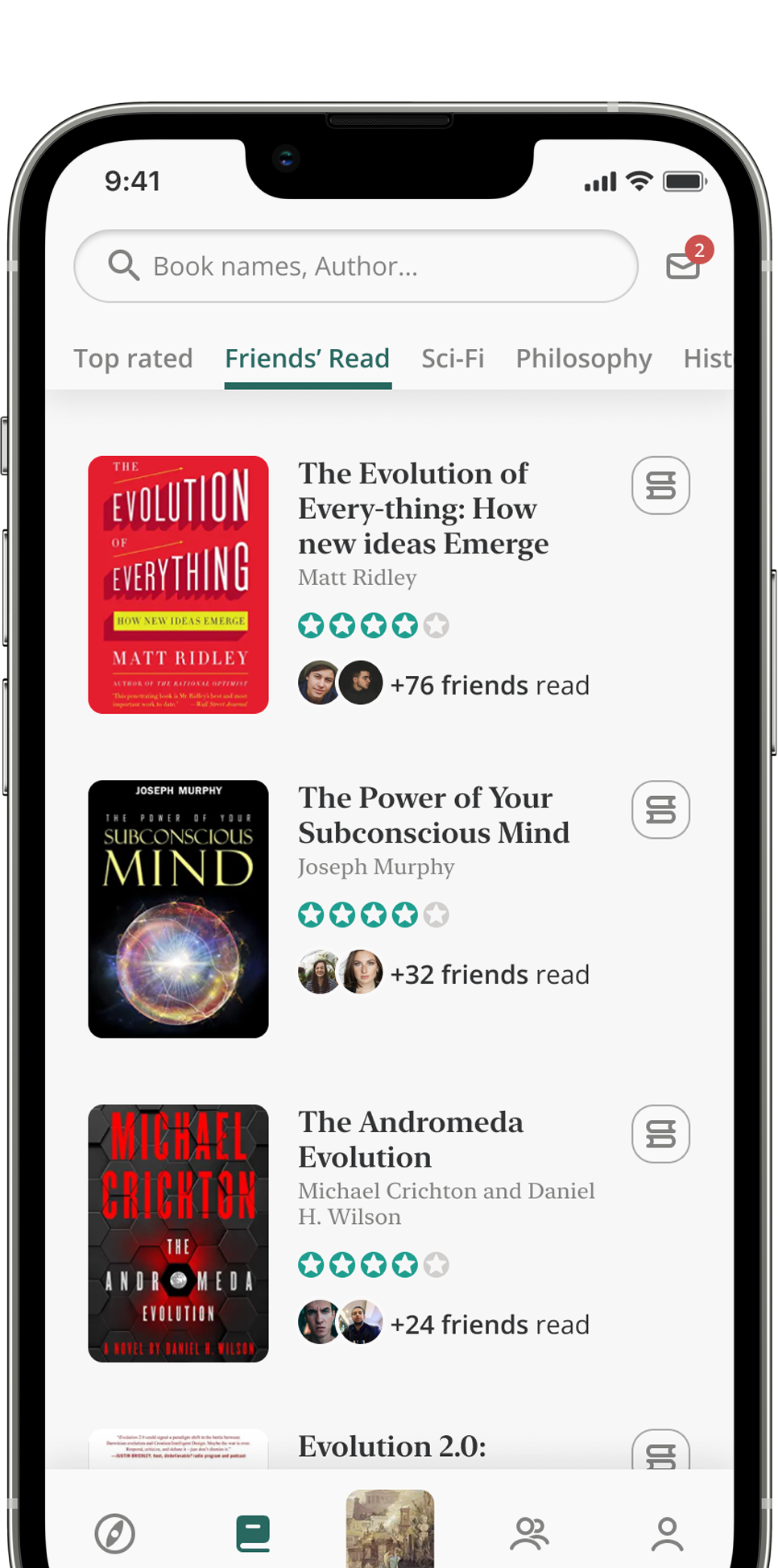
The Books tab on a phone, open on the Friends’ Read shelf: each title carries its rating and how many friends have read it.

Navigation Structure

Before

the bottom menu didn’t say “e-book app”: everything important hid inside one Discover tab, so the secondary bar outranked primary navigation — and it was too much for an MVP.
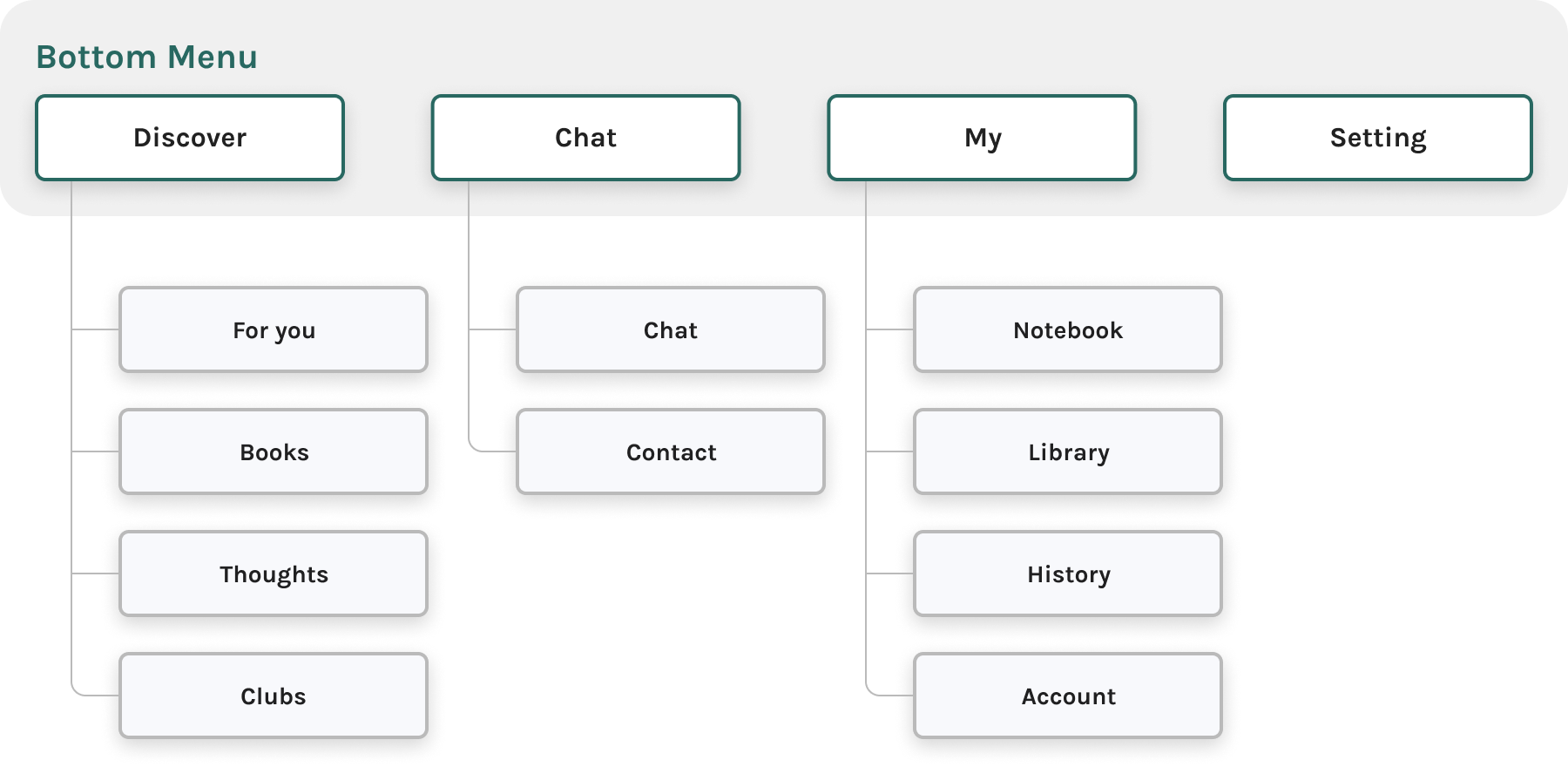
The first bottom menu as a tree: Discover, Chat, My and Setting, with For you, Books, Thoughts and Clubs all hanging off the single Discover tab.
After

clubs cut; the bar rebuilt to state the idea outright — Discover, Books, Friends, My. Reading, with friends.
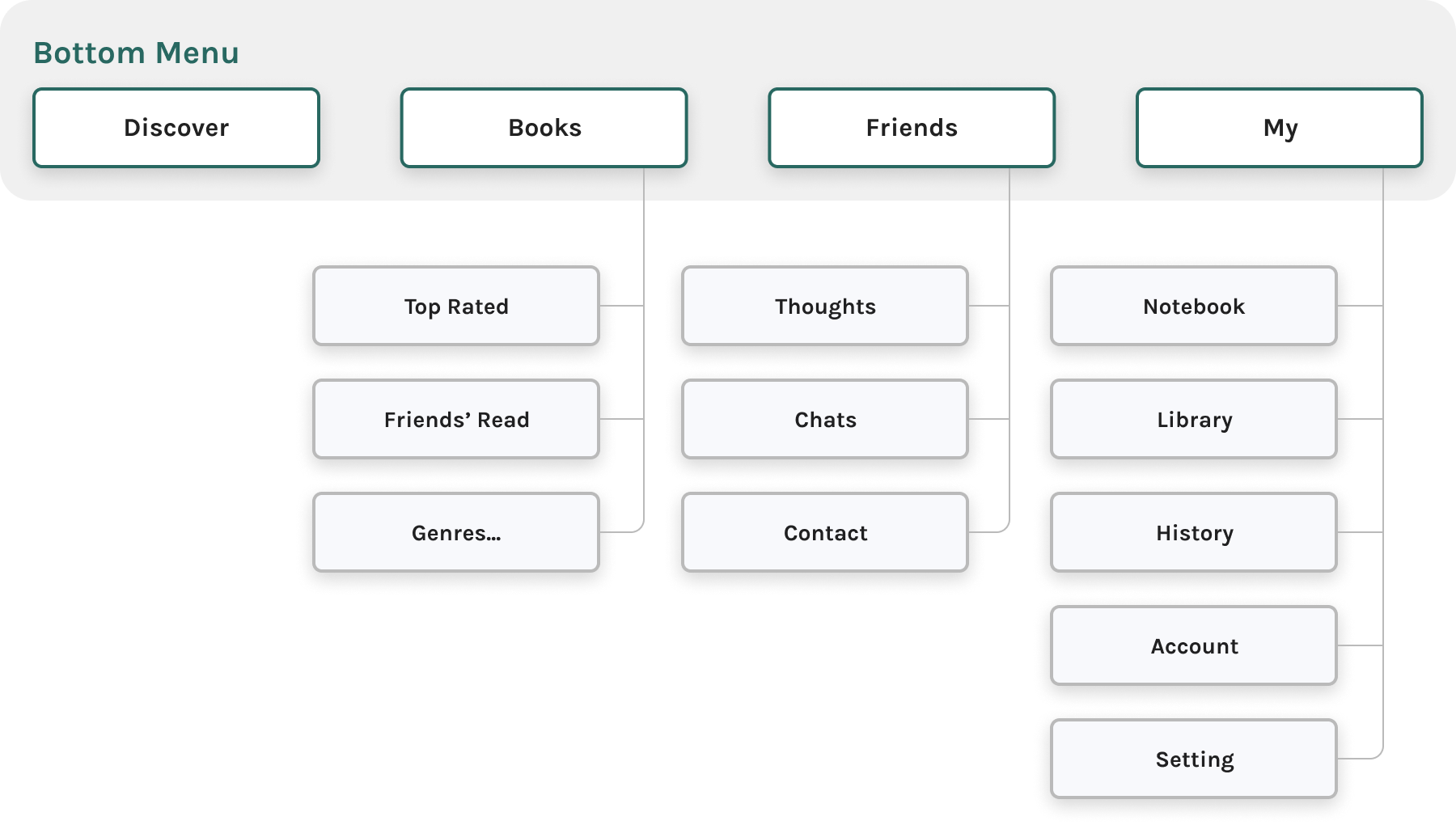
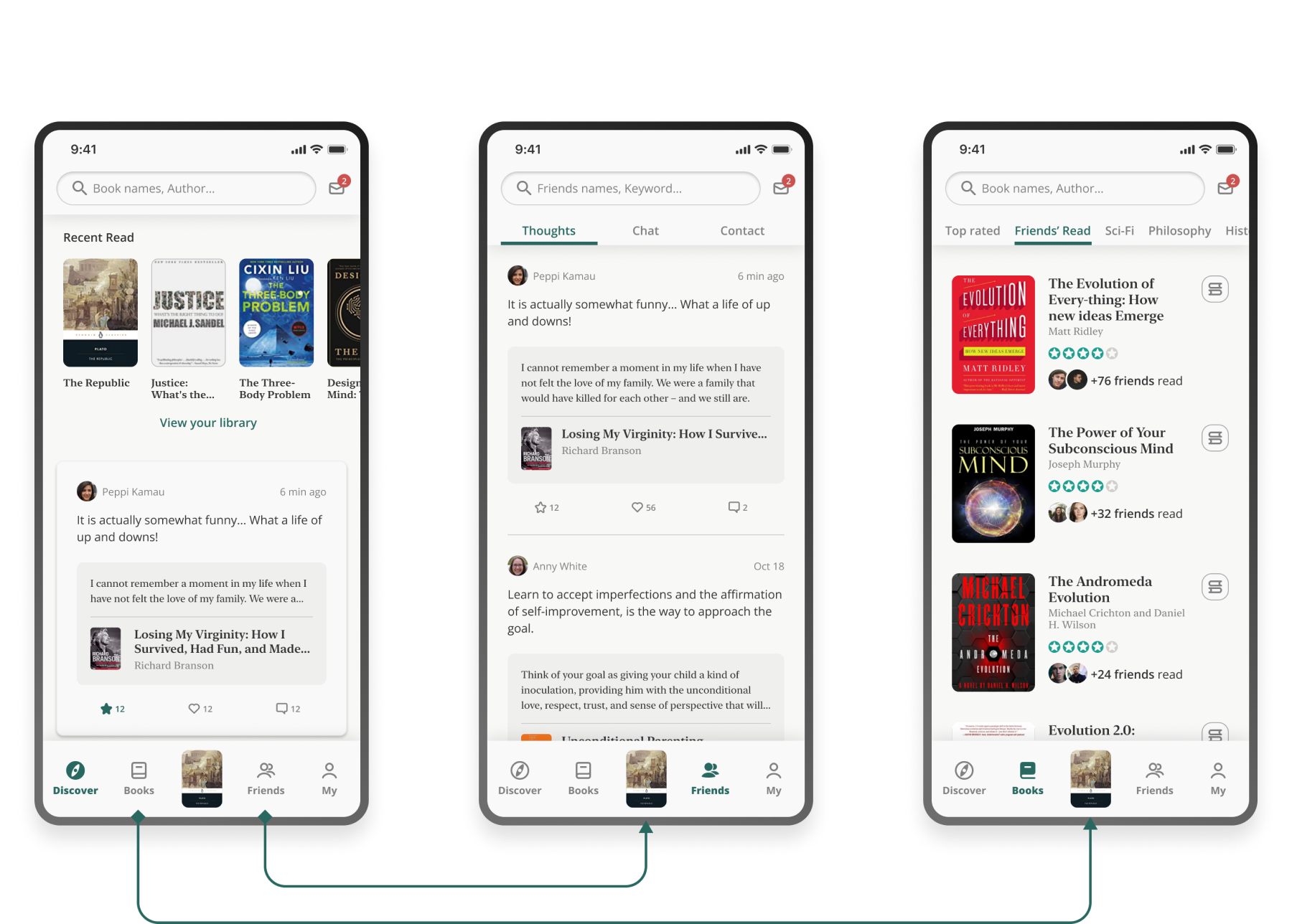
The rebuilt bottom menu as a tree: Discover, Books, Friends and My, with the book, people and account paths distributed across all four tabs.
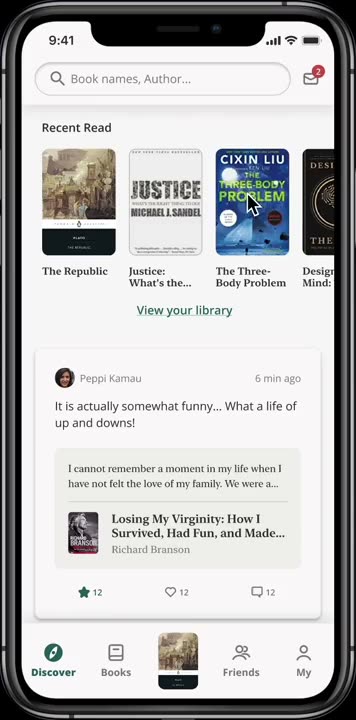
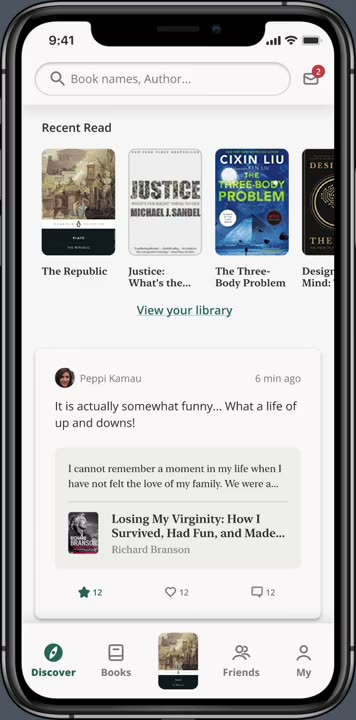
The four rebuilt tabs as screens: Discover, Books, Friends and My, each opening on the content its label promises.

“Explore” Page Pattern

Before
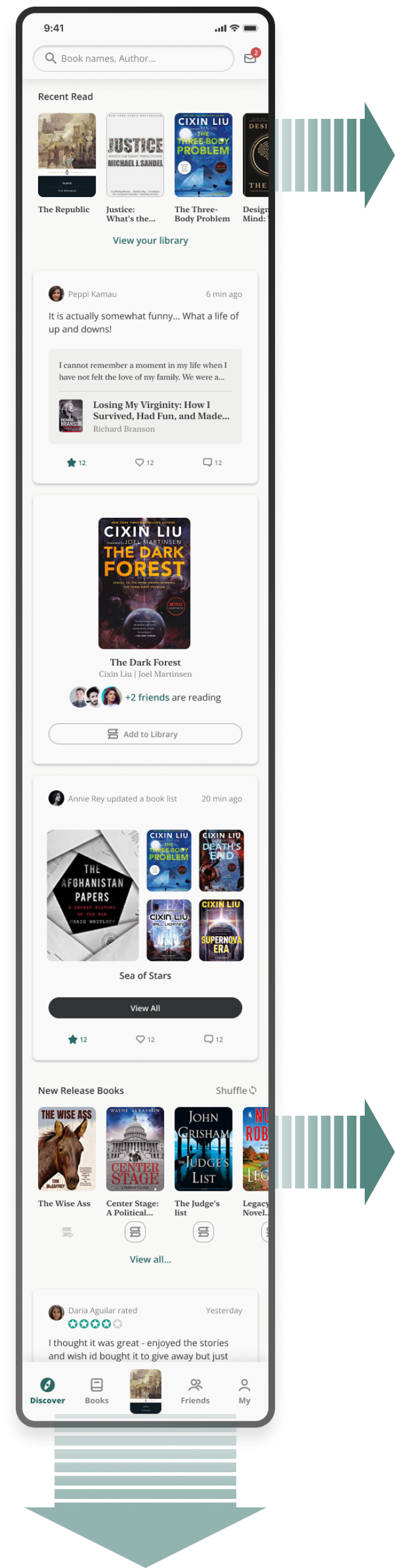
  • Categories by scroll, feeds by swipe.
  • In testing, most participants scrolled to the bottom without ever finding the swipe.
After
  • One infinite scroll of feeds.
  • Weighted toward friends’ thoughts and book-list updates.
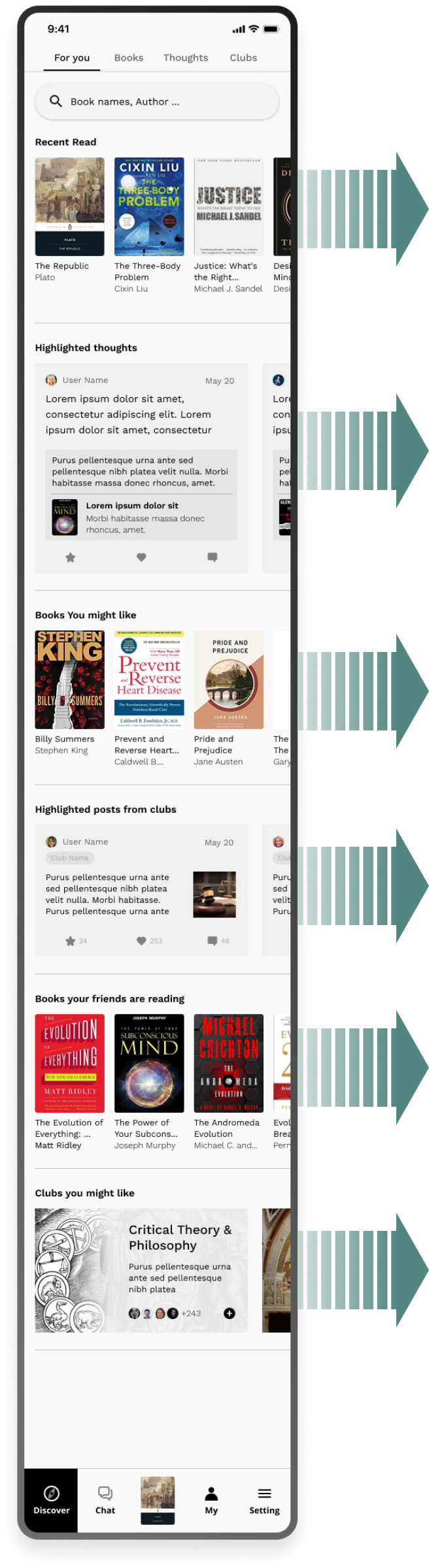
The first Explore page as one long capture: six stacked category blocks — recent read, highlighted thoughts, books you might like, club posts, friends’ books, clubs — each with a swipe arrow pointing off-screen.
The revised Explore page as one long capture: a single continuous feed of friends’ thoughts and book-list updates, with no sideways swipe left in it.

To share

Take notes, record your thoughts, and share ideas and inspirations with others along your reading journey.

Annotate and Share-Note Flow

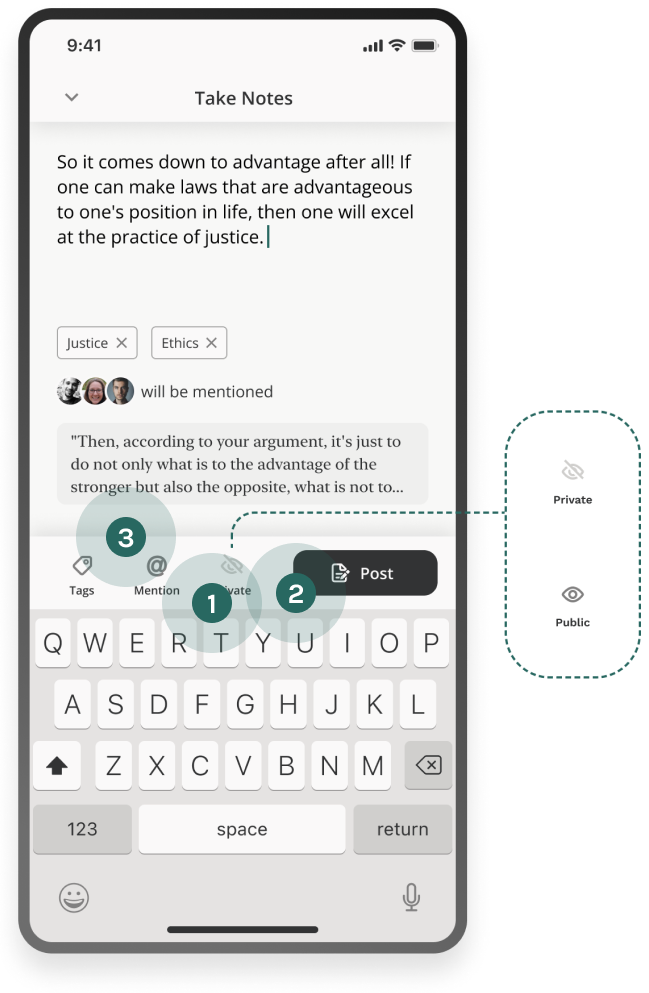
Notes take tags for organizing and a public-or-private setting — and Mention: name specific friends, and they’re notified and given access, whatever the setting.
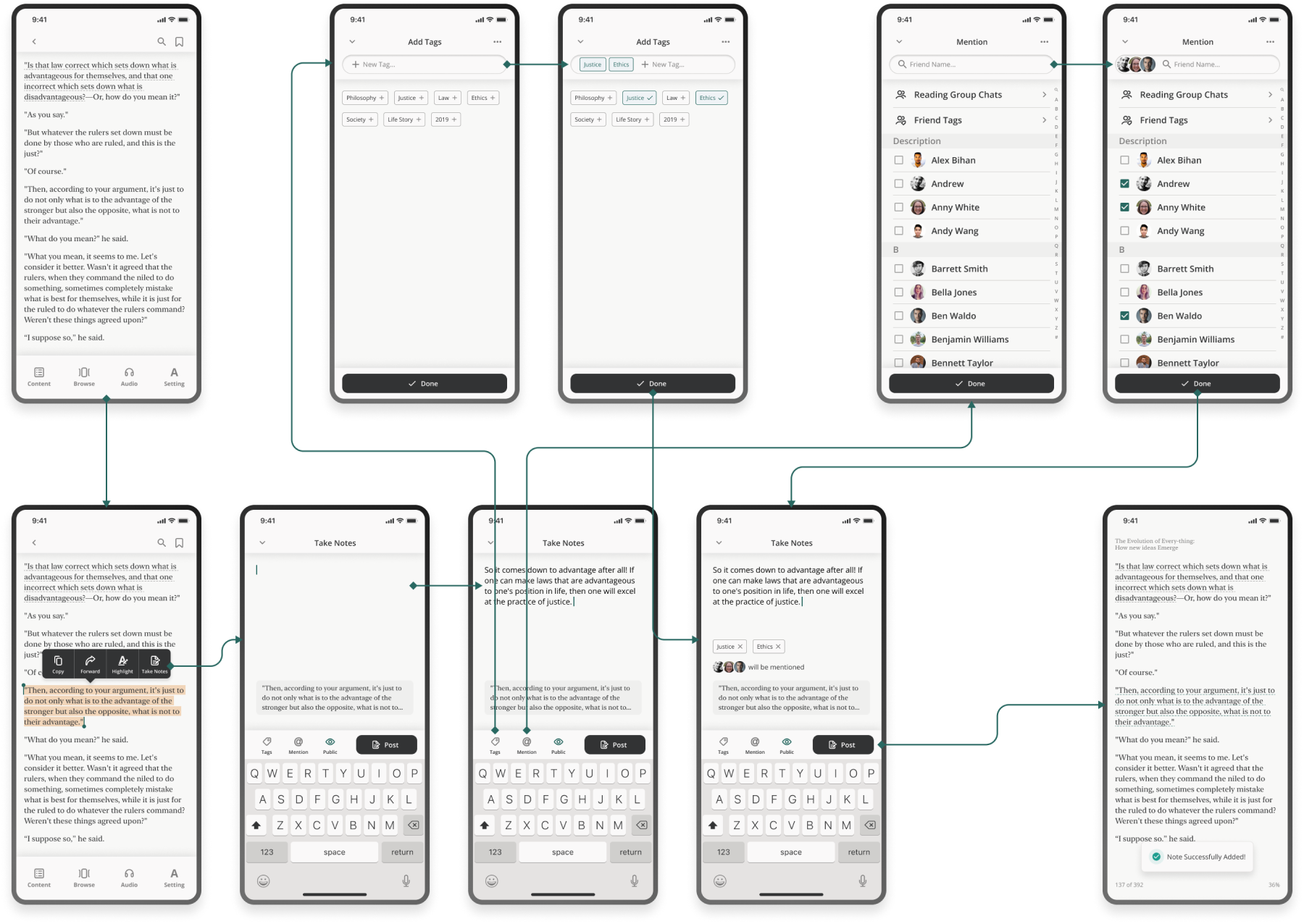
The annotate-and-share flow across screens: select a passage, write the note, add tags, set it public or private, mention specific friends, and post.

Provide Options to Share Notes Exclusively

Before
  1. A three-tier visibility setting — me / friends / all — that meant little: people follow strangers freely in reading apps, so “friends” is not a trust boundary.
  2. Two closing CTAs, return and done, confused the post action.
After
  1. Two modes only, public or private.
  2. The Post button moved where it’s expected.
  3. “Share to friends” grew into Mention — which names actual people and notifies them.
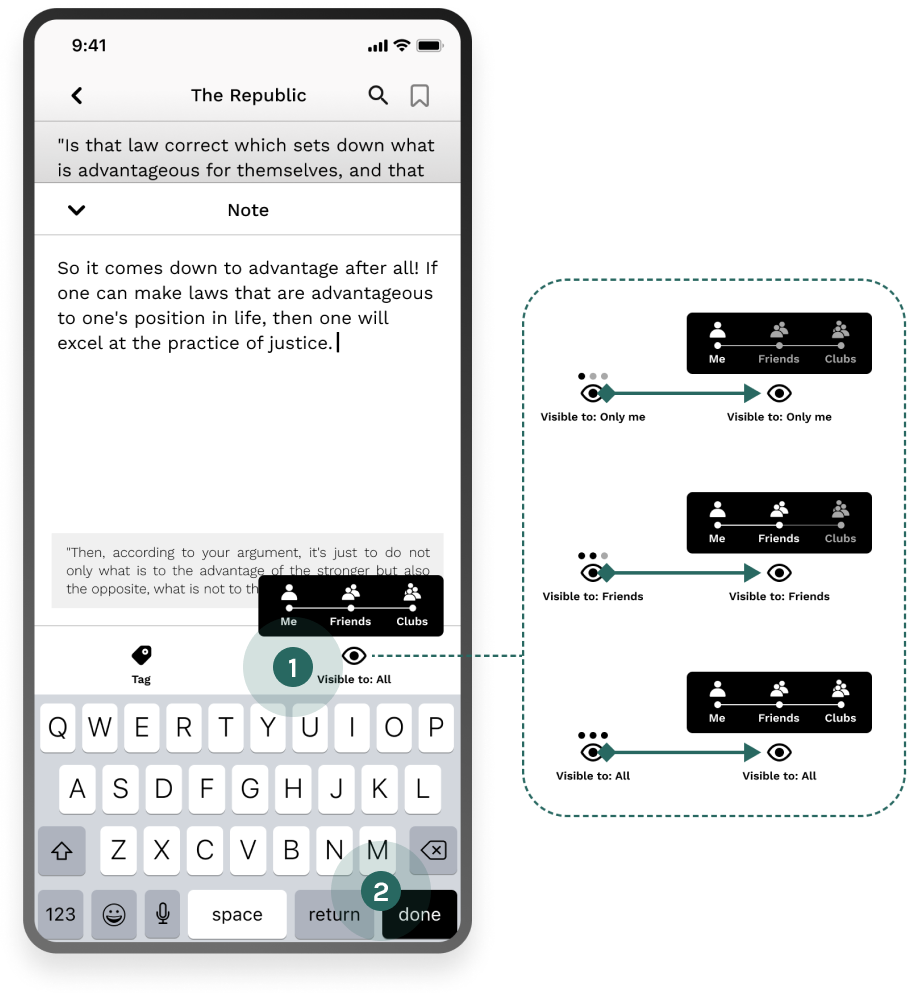
The note composer before: a three-tier visibility control — me, friends, clubs — and the pair of closing buttons, with the three visibility states drawn out beside it.
The note composer after: a two-mode private/public toggle, the relocated Post button and the Mention row, with the two modes drawn out beside it.

To Discuss

Participate in discussions. Sharpen your thinking, improve your understanding, and spark new ideas through communication.

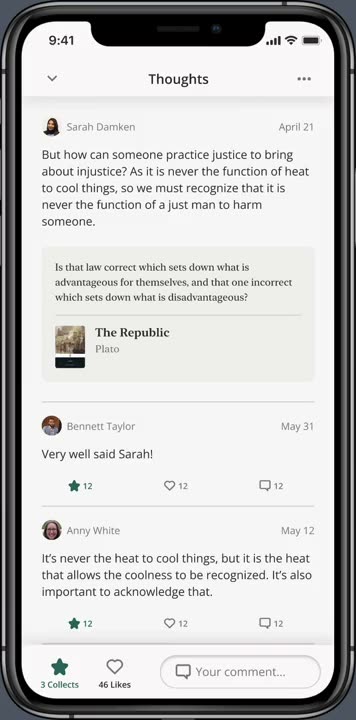
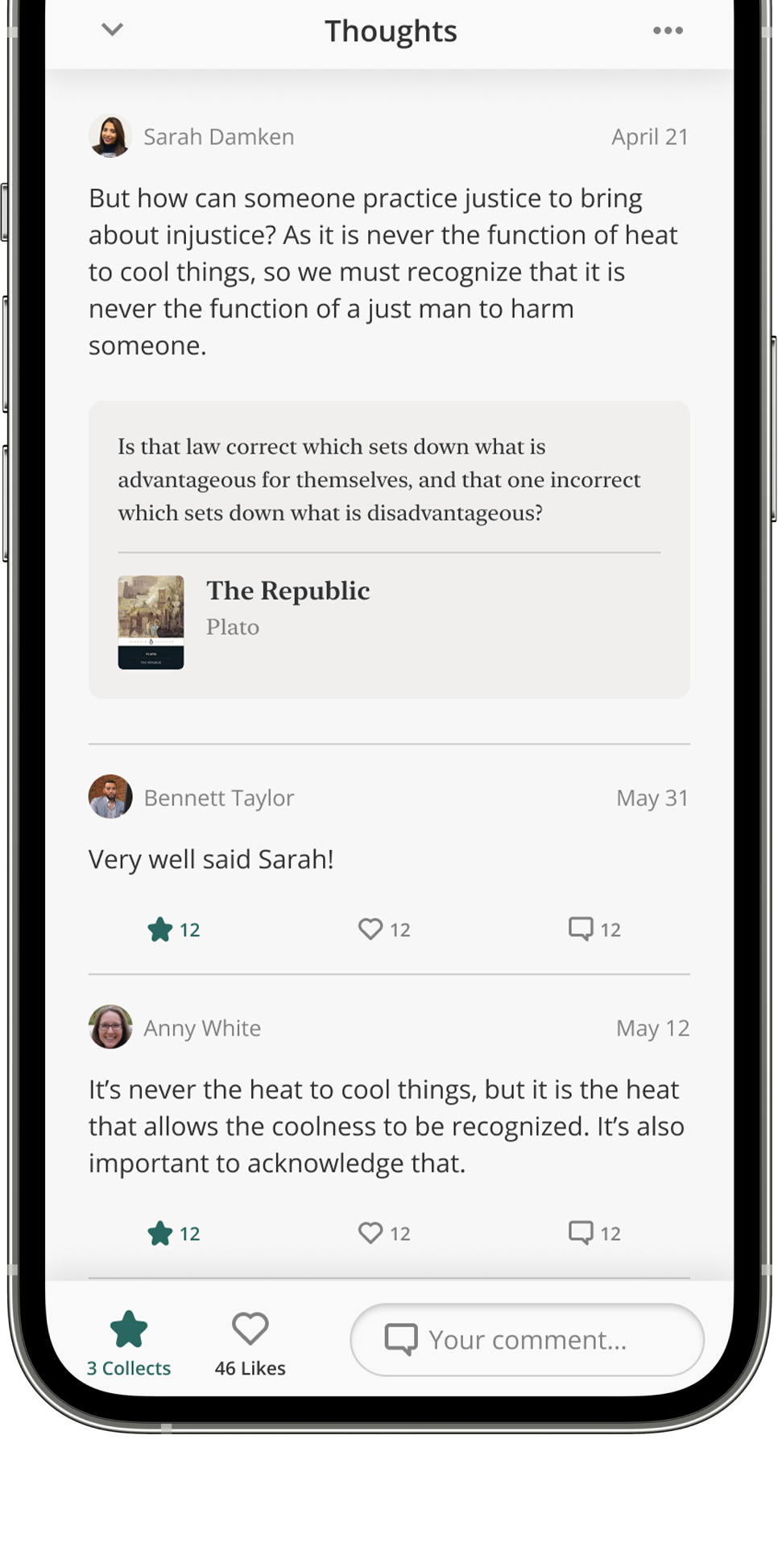
A public Thoughts thread on a phone: a reader’s note about The Republic with two replies under it and a comment field waiting at the bottom.

Public Discussion

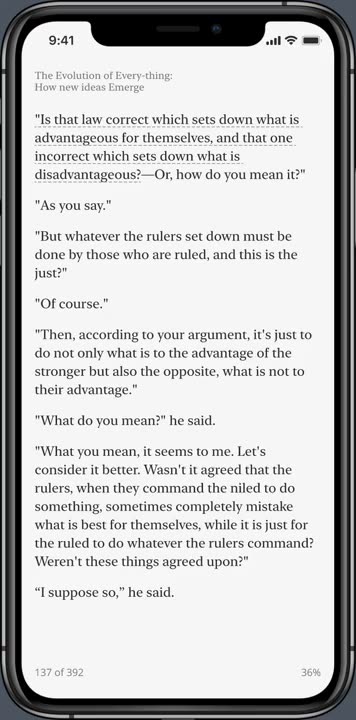
Public notes are visible in the reading view. Discussion happens by commenting under a note — and under other readers’ responses — so the book page itself becomes the forum.
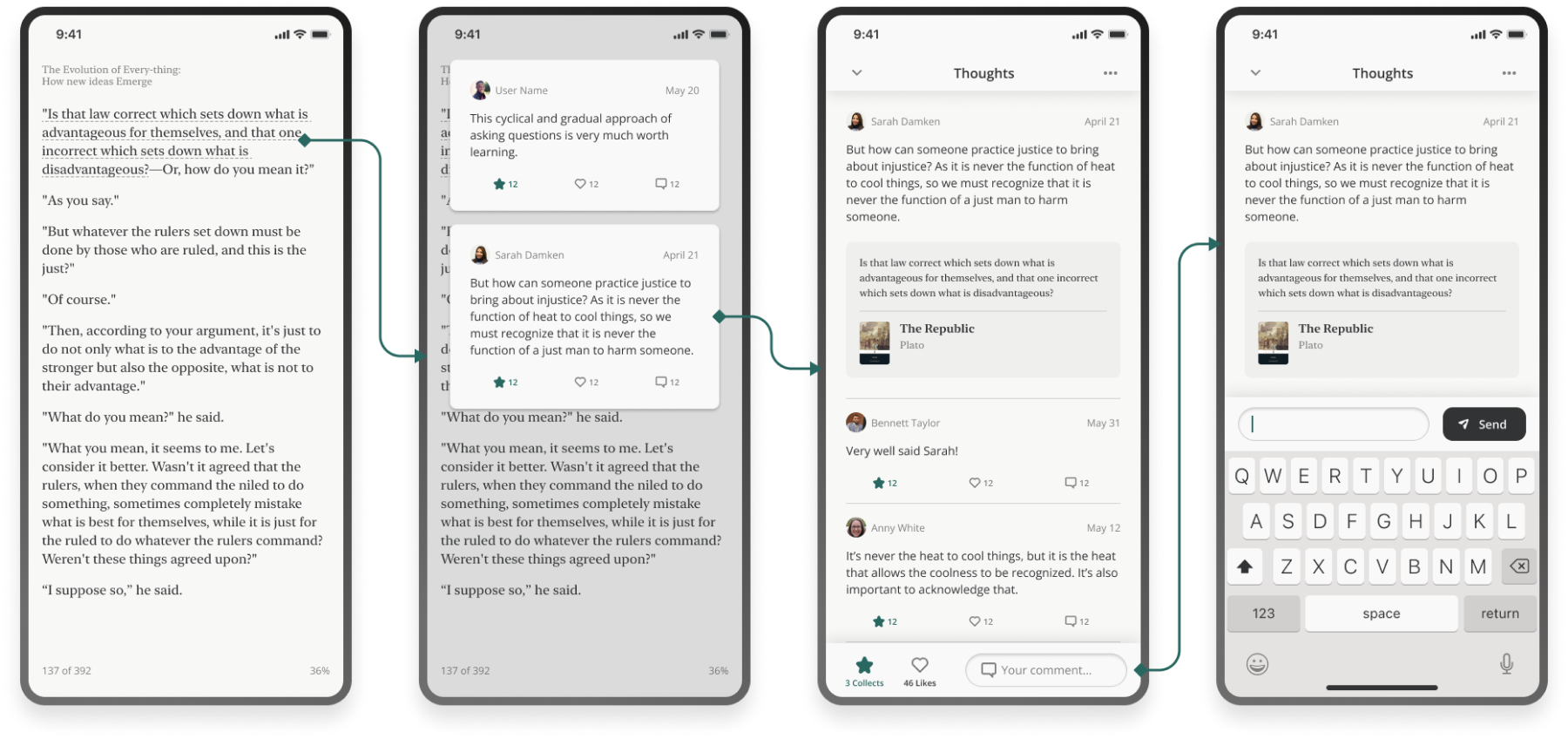
Public discussion across screens: a public note surfacing in the reading view, the thread of comments under it, and a reply written under another reader’s response.

Private Discussion

Research was plain: many people won’t go deep in public.

Before
  1. It wasn’t obvious what the icons represented.
  2. A generic chat screen that could belong to any app, not to an e-book one.
After
  1. Text added under the icons.
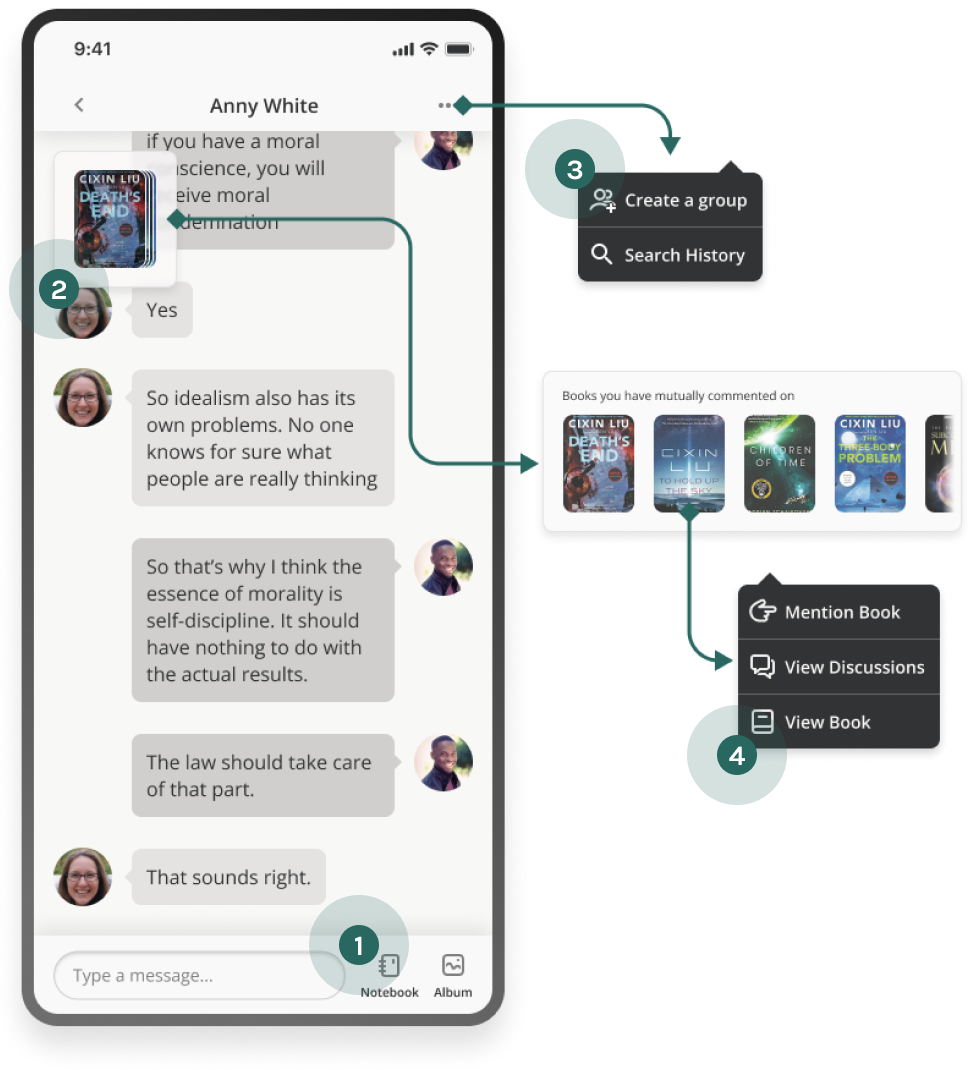
  2. A floating drawer of the books you’ve both commented on.
  3. An option to create a reading group.
  4. A route back to the public thread you came from.
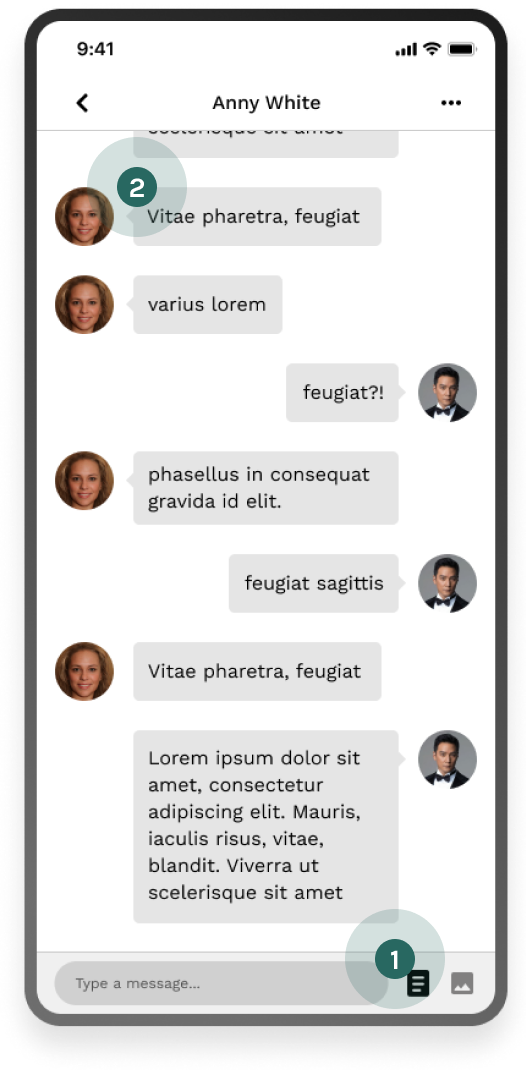
The chat screen before: unlabelled icons over a generic message thread.
The chat screen after: labelled icons, the mutual-books drawer, a create-a-group action and a route back to the public discussion, each drawn out beside the screen.

Flexible Transition Between Discussion Modes

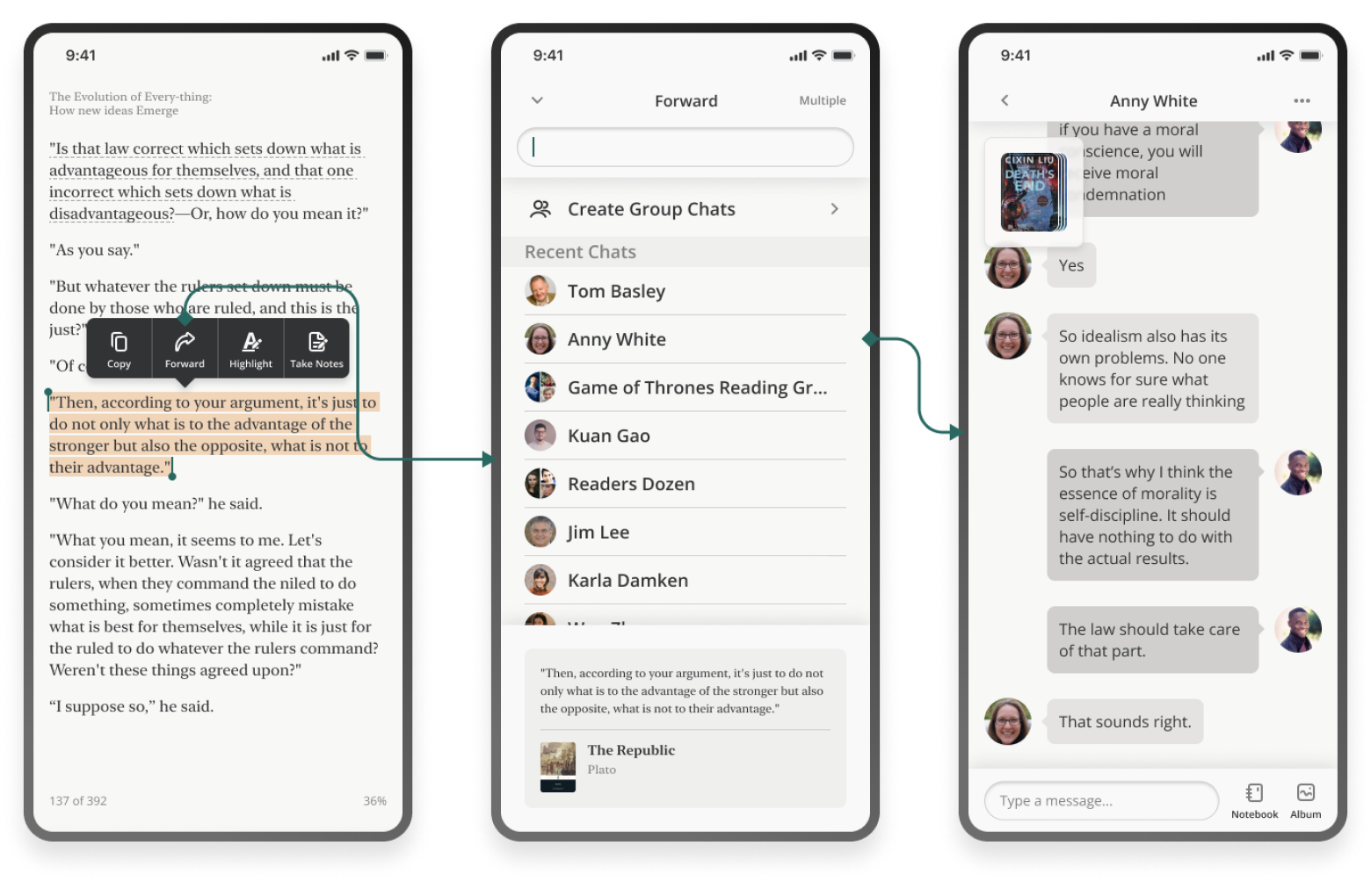
Discussion starts anywhere — so from any screen, users can reach comments or chat, and switch between the two with the context carried along.
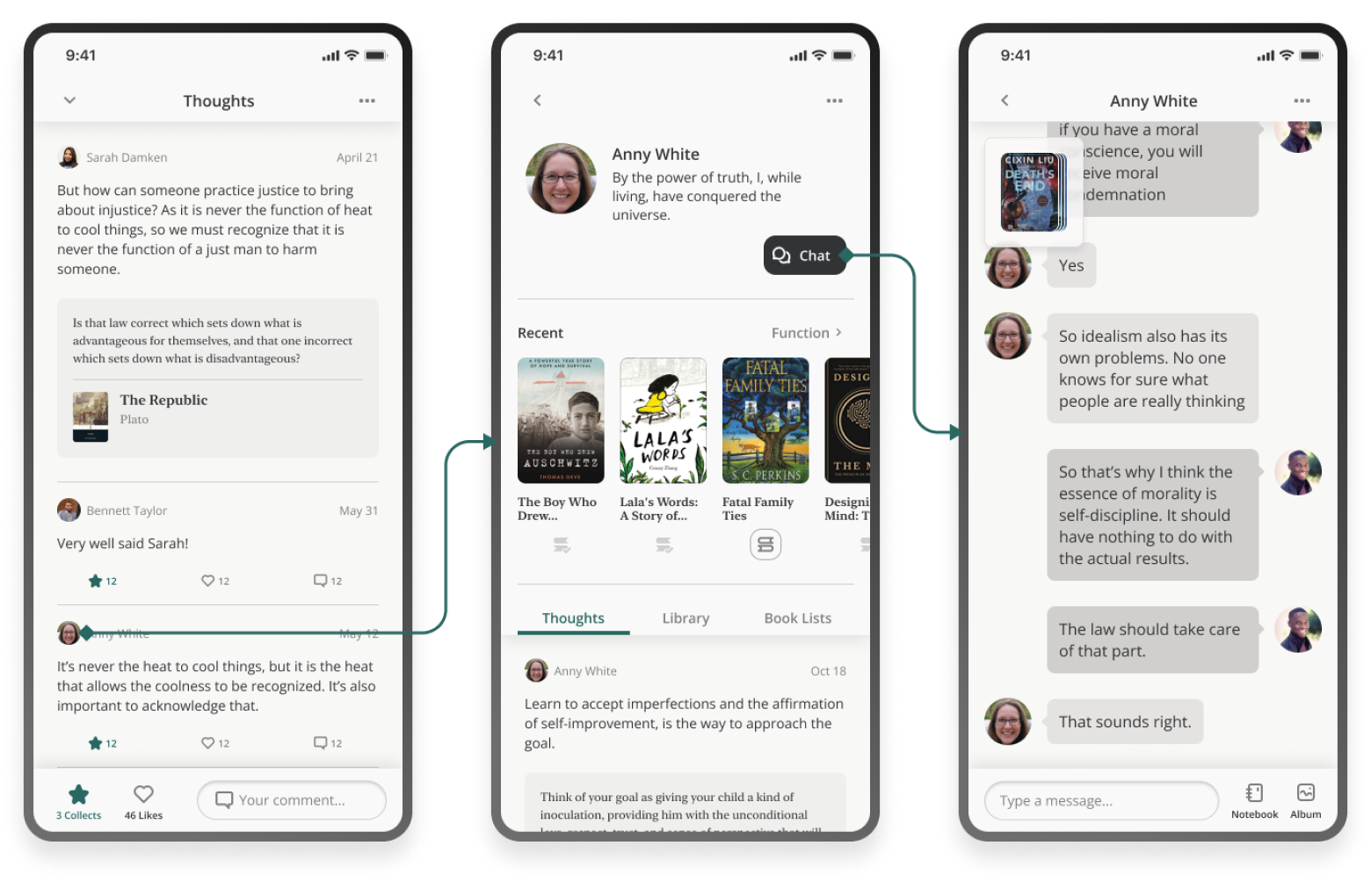
The path from a public comment thread into a private chat, with the note that started it carried across.
From comment page to chat page
The path from the reading view straight into a chat, opened on the passage the reader was on.
From reading page to chat page

To Organize

Construct your second brain by organizing and tagging your notes, discussions and collected ideas.

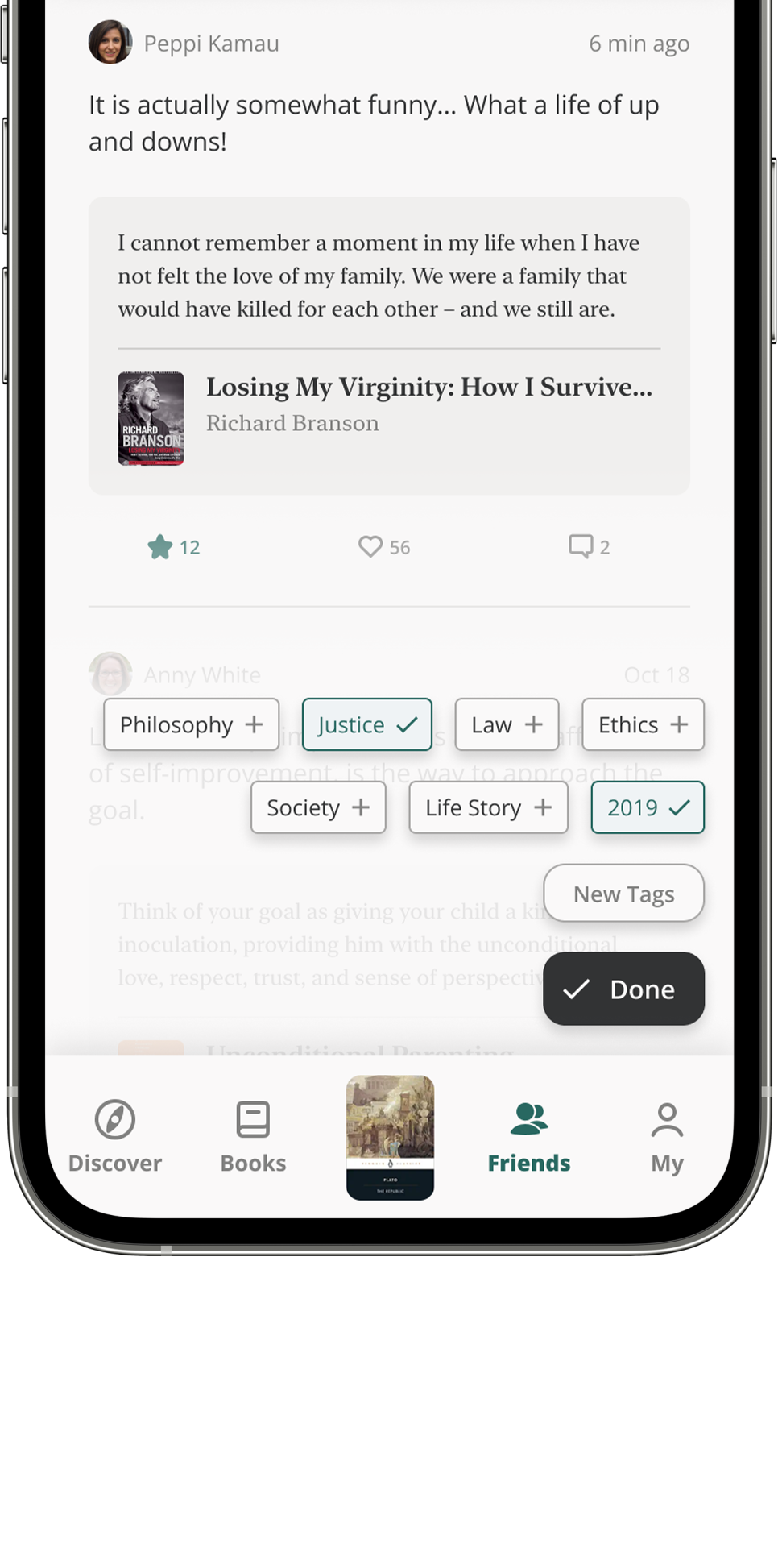
Tagging a collected thought on a phone: a sheet of tags — philosophy, justice, law, ethics, society, life story, 2019 — with two picked and a New Tags field under them.

Notebook Screen

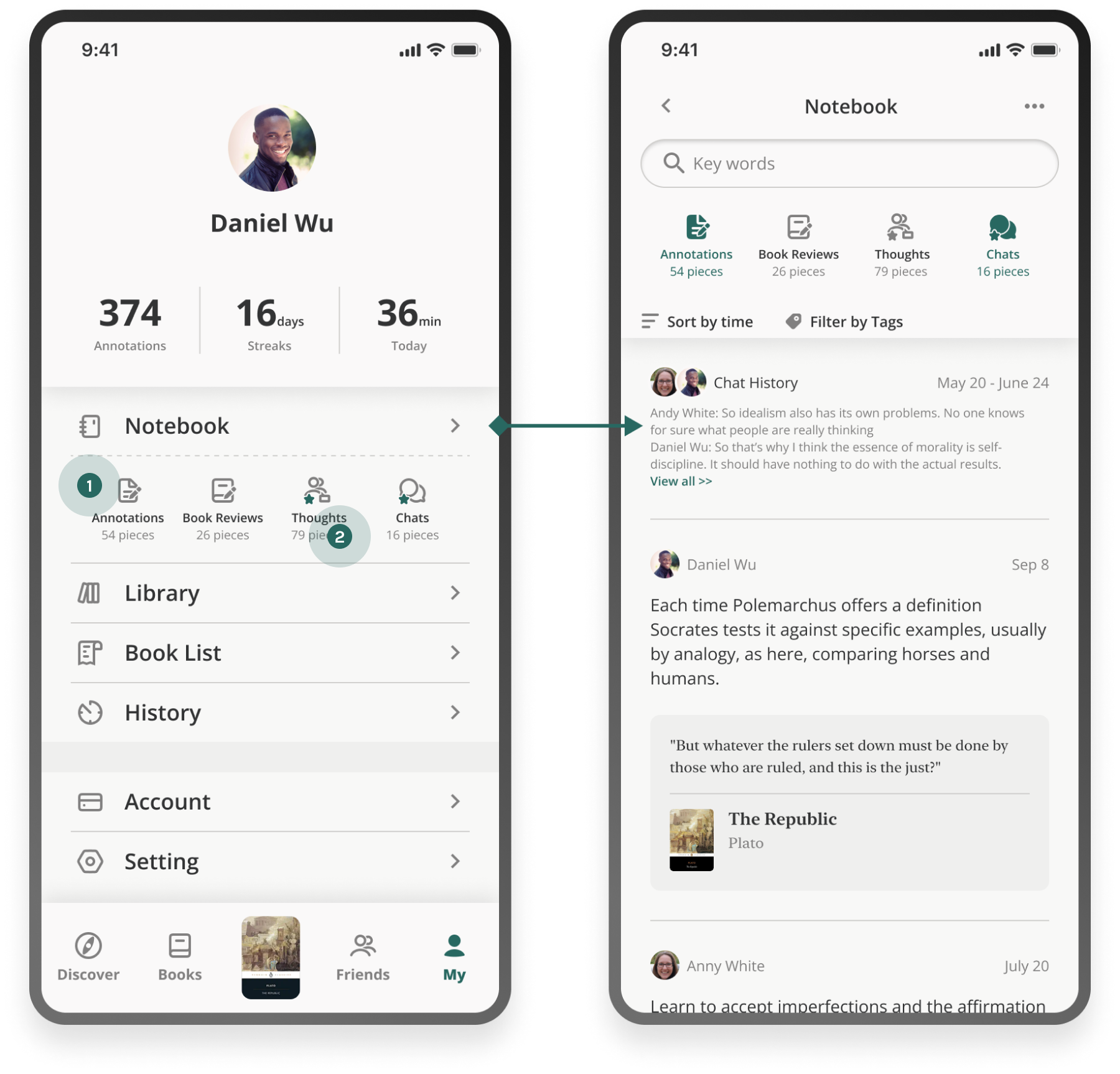
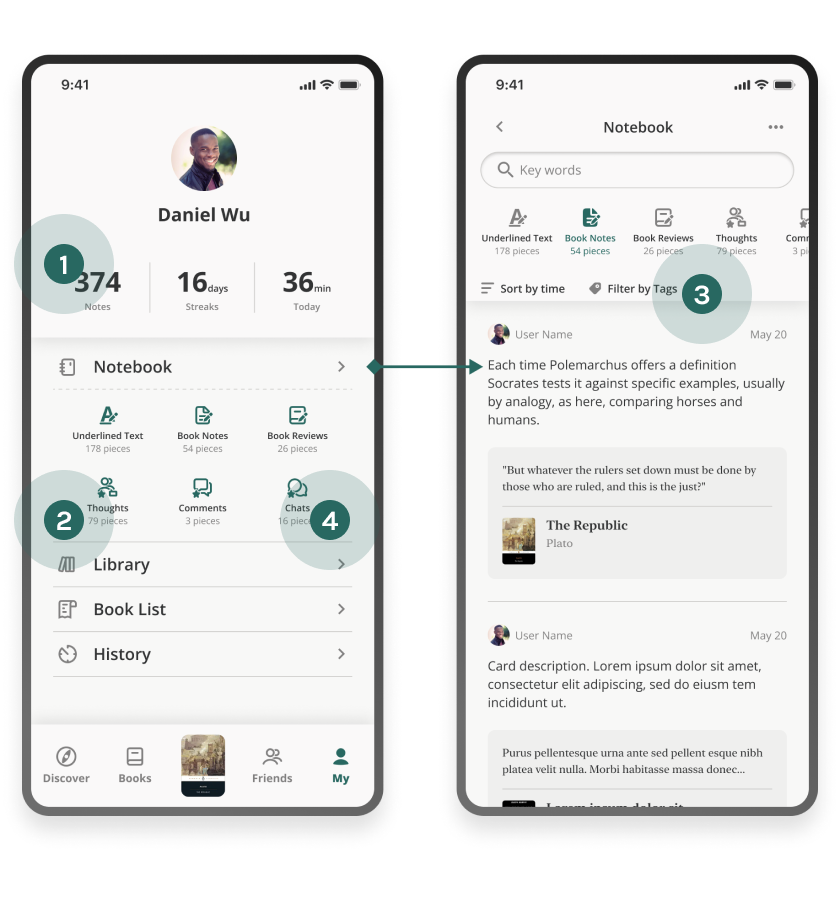
The wireframe over-asked: complicated copy, content users didn’t expect to find there, and “add tag as filter” misread as creating tags. The first hi-fi simplified the copy and previewed sub-categories (“Filter by tags”). The second merged what users couldn’t tell apart — underlines and notes into Annotations; thoughts and comments into Thoughts.
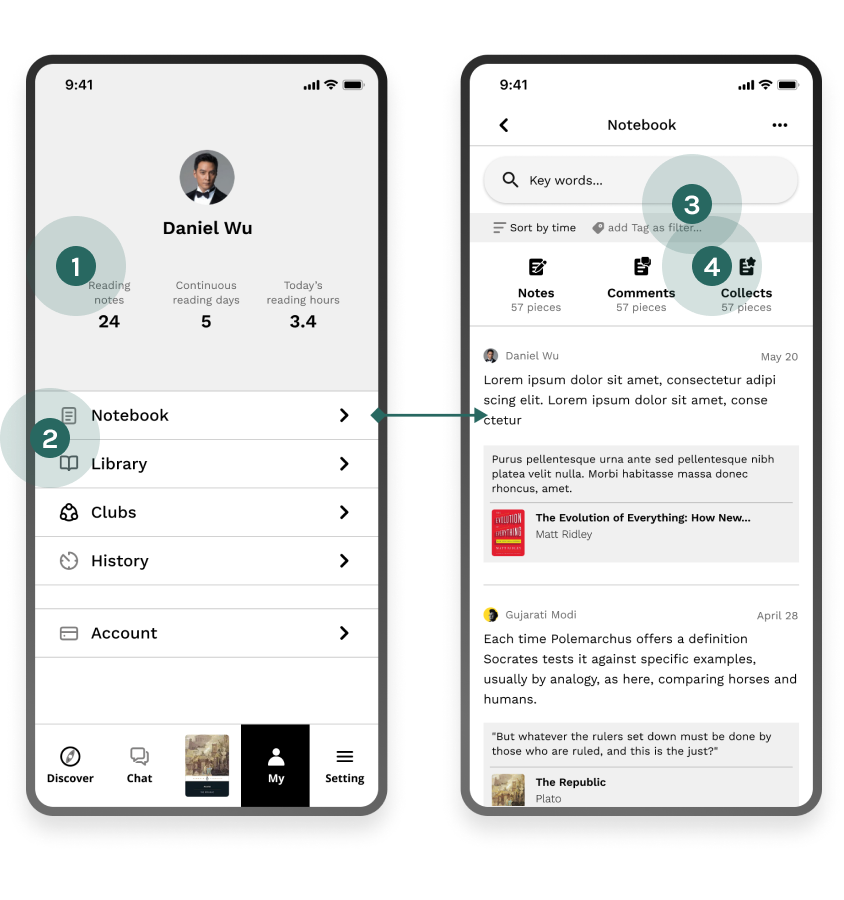
The notebook wireframe, annotated with four problems: over-complicated copy, unexpected content, the misread “add tag as filter” control, and an unclear “Collects” category.
Wireframe
The first hi-fi notebook, annotated: simplified copy, sub-categories previewed before entry, “Filter by tags” spelled out, and the categories users still could not tell apart.
Hi-fi mockup, iteration 1
The second hi-fi notebook: underlines and notes merged into Annotations, thoughts and comments merged into Thoughts, with the remaining categories shown across the entry and detail screens.
Hi-fi mockup, iteration 2 — refined categories

Intuitive Ways to Organize Collected Items

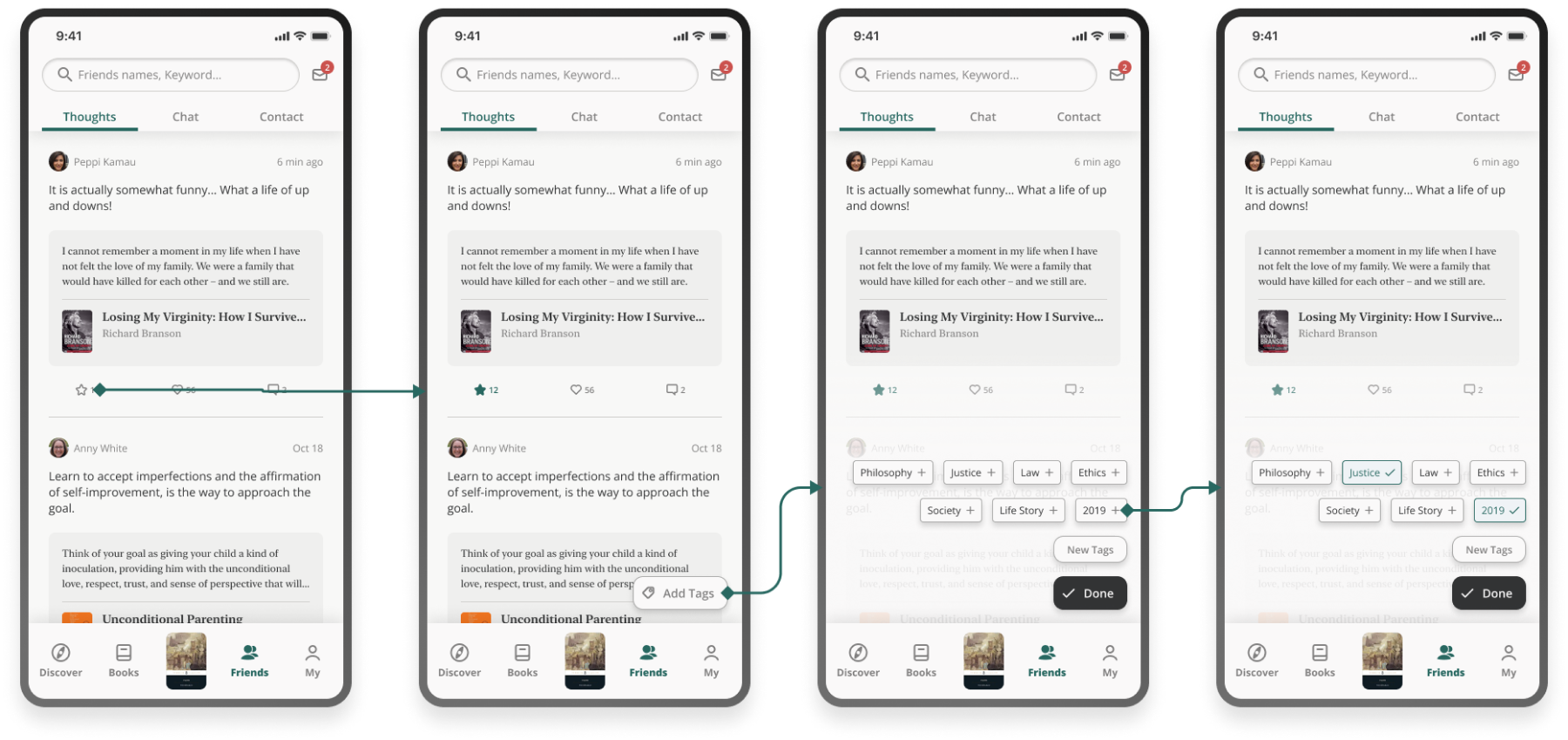
Tagging is optional by design: readers who don’t care are never interrupted, and those who do can tag notes, thoughts and chats alike.
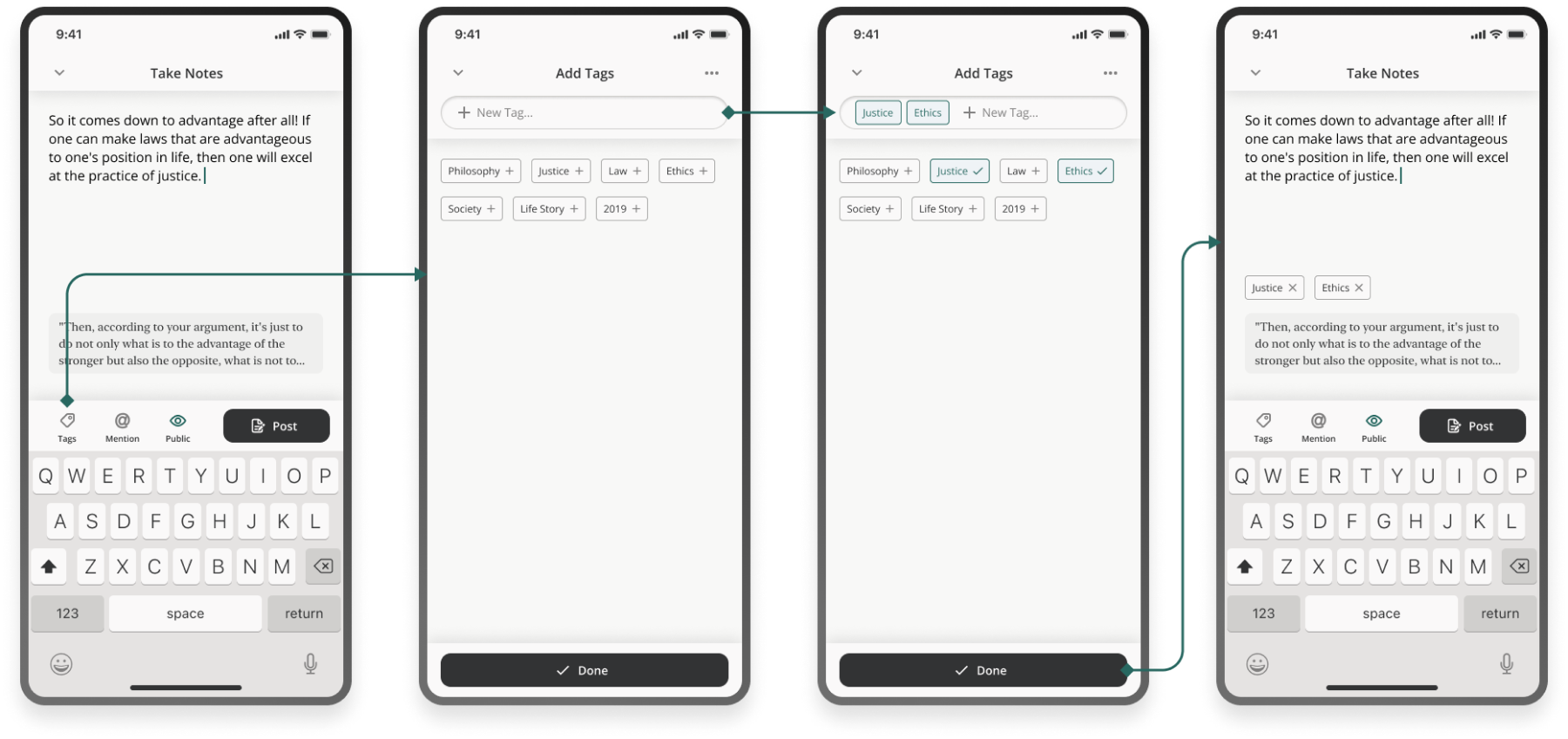
Tagging a note: the tag sheet opens from the composer, existing tags are picked or a new one typed, and the note files itself under them.
Organize notes
Collecting a thought: a friend’s thought is saved from the feed, tagged, and appears in the notebook’s Thoughts category.
Collect and organize thoughts
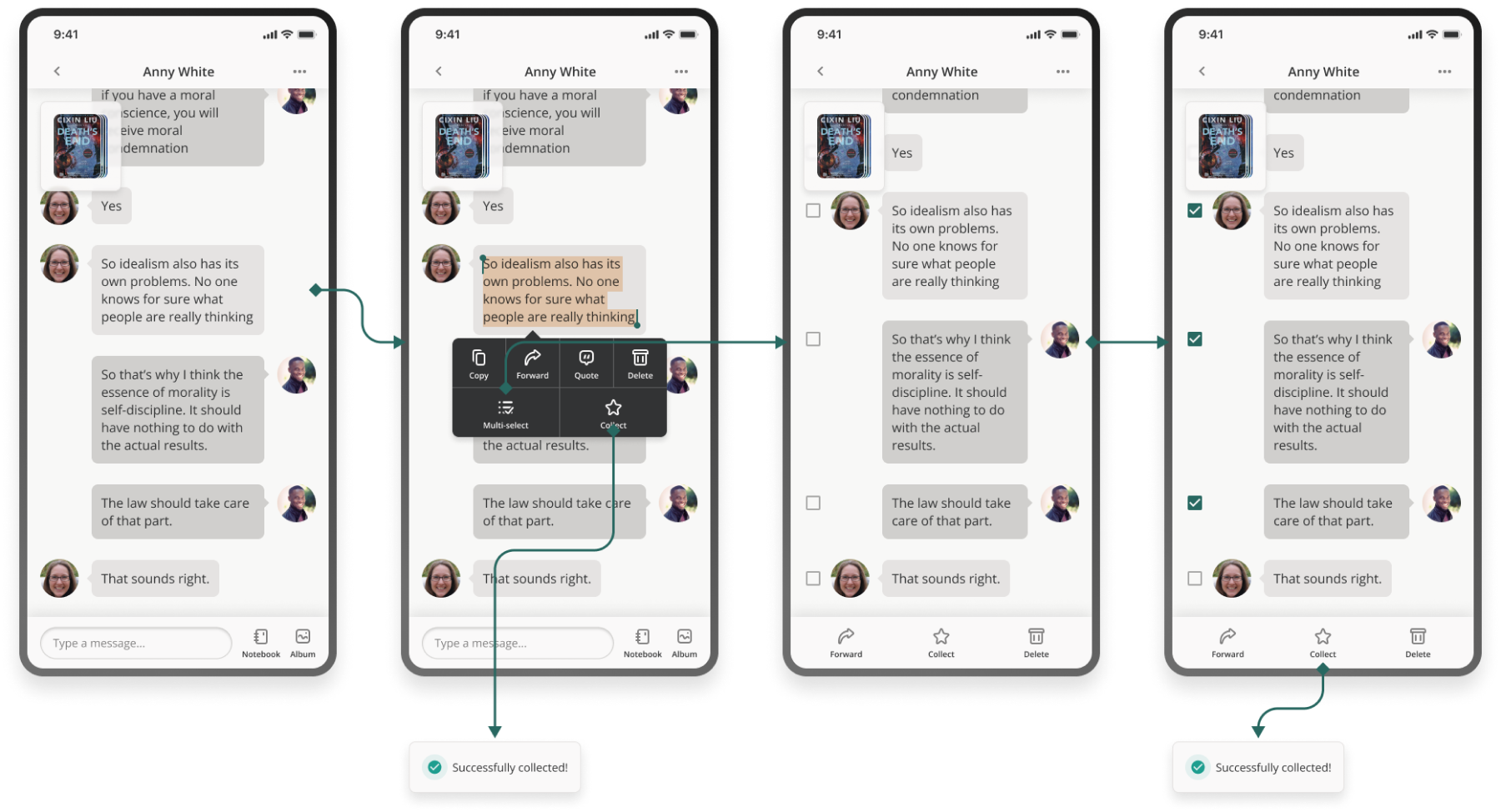
Collecting a chat: a message from a private discussion is saved, tagged, and filed into the notebook’s Chats category.
Collect and organize chats
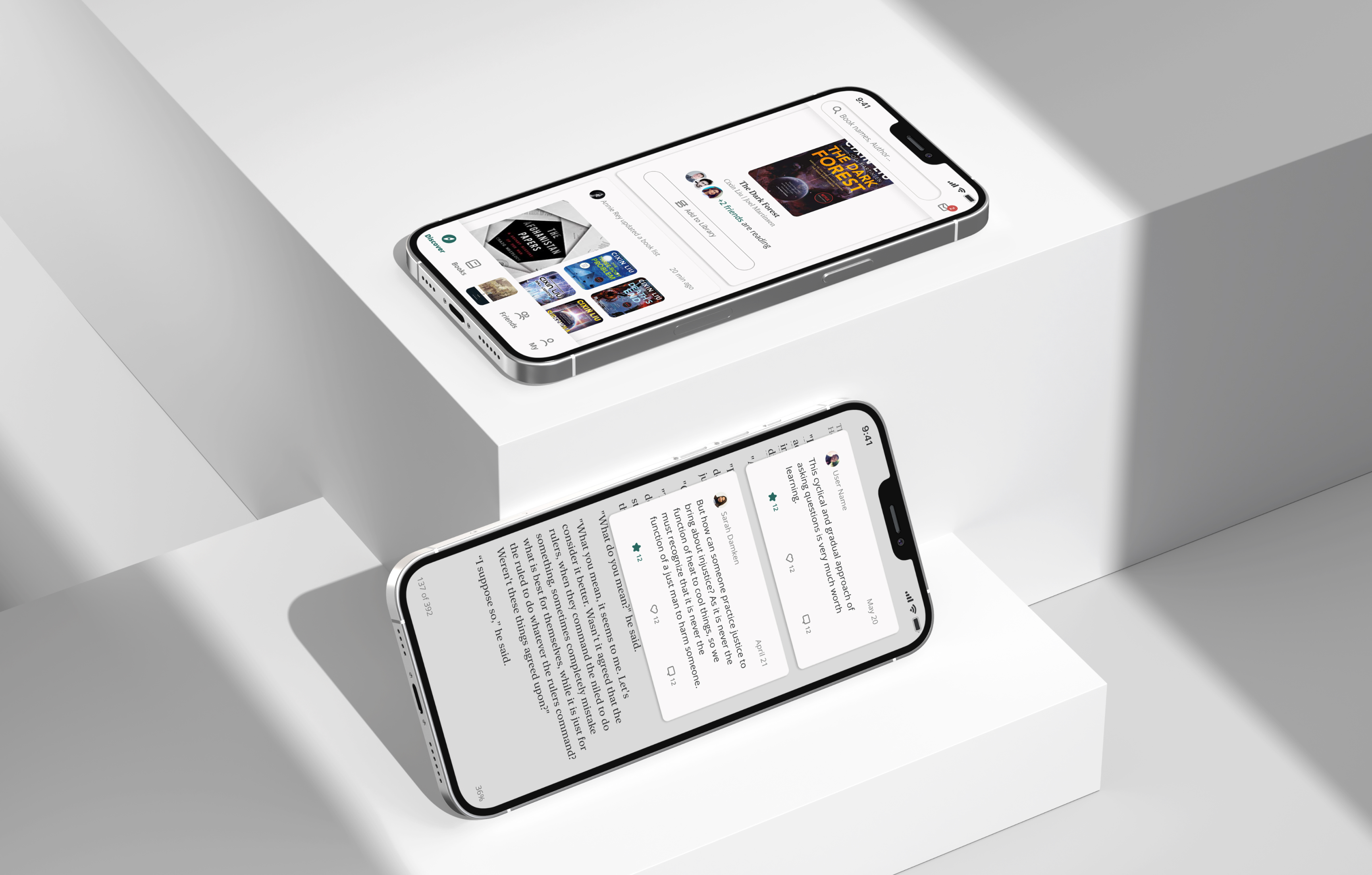
Two phones on a studio plinth: the Discover feed on one, a reading view with public notes alongside the text on the other.
07

Reflections

  • Circle back to the problem

    a solution is judged by whether it answers the HMW that produced it.

  • Mind the MVP scope

    phasing belongs in ideation, not in the post-mortem.

  • Copy matters

    short, precise copy delivers ideas; the wrong word costs more than the wrong layout.